Roku IPTV Subscription Provider: How to Choose the Right Service in 2026
Choosing a Roku IPTV subscription provider is not the same as choosing IPTV for a Firestick or Android TV box. Roku uses its own operating system and app ecosystem, so the first question is not how many channels a service advertises or how large the annual discount looks. The first question is whether the Roku IPTV subscription provider has a realistic way to work on your exact Roku device. If the viewing method depends entirely on an Android APK, Google Play app, or Firestick Downloader code, that does not automatically translate to Roku.
A good buying process therefore starts with compatibility, then moves to the player or app, content, trial performance, picture quality, simultaneous connections, and finally price. This order protects you from paying for a Roku IPTV subscription provider that looks attractive on paper but is awkward or impossible to use on the television where you actually plan to watch. If you are evaluating Xtreme HD IPTV, you can compare its installation guide, channel list, free trial, and subscription pricing against the Roku-focused checks in this guide.
Quick answer: A Roku IPTV subscription provider is worth considering only after you confirm that your Roku has a supported viewing method. Search the Roku app ecosystem first, verify the exact app or player the provider expects you to use, test the setup on your real Roku device, and confirm your essential channels before choosing a long plan. Roku does not use the normal Android APK installation model, so Firestick or Android tutorials should not be treated as Roku instructions.
Table of Contents
Why Roku Compatibility Comes Before Price
The biggest mistake when shopping for a Roku IPTV subscription provider is treating Roku like a generic streaming box. Roku is a platform with its own operating system, its own app distribution model, and its own limitations. That matters because many IPTV tutorials online are written for Android-based devices. A guide that tells you to download an APK, open Downloader, or install something from Google Play is describing a different ecosystem. If the Roku IPTV subscription provider cannot explain the Roku route clearly, you should resolve that issue before thinking about the channel count or subscription duration.
Compatibility also needs to be practical, not theoretical. A Roku IPTV subscription provider may say that Roku is “supported,” but you still need to know what that means in everyday use. Which app should you install? Is that app currently available to you? Does it accept the account format the provider supplies? Is there a separate app fee? Can the service be tested before you commit? Those questions are more useful than a vague Roku logo on a sales page because they tell you what happens after payment.
The normal consumer experience on Roku revolves around supported applications in Roku’s own app ecosystem. Roku also has developer tools and a development sideloading workflow, but the source material correctly distinguishes that from ordinary Android APK installation. Developer mode exists for developing, testing, and debugging Roku applications; it does not turn the device into an Android box. For most buyers, a straightforward supported app route is much more practical than trying to build a long-term television setup around a developer workflow.
Identify Your Exact Roku Setup
Roku is a family of devices rather than one piece of hardware. You may own a Roku Streaming Stick, Roku Express, Roku Ultra, Roku Streambar, or a television with Roku TV built in. Before choosing a Roku IPTV subscription provider, identify the model you actually use because display capability, networking, performance, and app availability can differ. A service can be compatible with Roku in general while still giving you a poor experience on an older or more limited device.
Open your Roku settings and check the model, operating-system version, network status, and display capability. If your television and Roku are limited to 1080p, a Roku IPTV subscription provider’s 4K marketing should not dominate your decision. If your Roku supports 4K, that still does not guarantee every stream will look like native 4K because the source, compression, bitrate, app, television, and connection all affect the final picture. A Roku IPTV subscription provider should be judged by what you can actually watch on your hardware, not by the highest resolution printed on a marketing page.
| Roku Detail | Why It Matters | What to Confirm |
|---|---|---|
| Exact model | Performance and capabilities vary | Your model name and generation |
| Roku OS version | Older software can affect app compatibility | System is reasonably current |
| Display resolution | Determines useful output resolution | 1080p or 4K capability |
| Network connection | Streaming depends on consistency | Wi-Fi quality or wired option |
| Available apps | The service needs a working player route | Recommended app is available |
| Household screens | May affect connection needs | How many people watch at once |
Find the Roku App Before Paying
Do not buy a Roku IPTV subscription provider first and search for a compatible app afterward. Reverse that order. Ask the Roku IPTV subscription provider which Roku application or viewing method is required, then confirm that the app is available for your device and region before you pay. If you cannot find the recommended player, get a clear explanation of how Roku customers are expected to connect. This single check can prevent the most frustrating outcome: owning a valid subscription without a practical way to use it on your main television.
The source article makes an important distinction here. Roku’s standard consumer route is different from Firestick and Android TV. Instructions involving Android APK files, Google Play, or Firestick Downloader codes belong to other platforms. A Roku IPTV subscription provider that truly supports Roku should be able to describe the Roku-specific path without telling you to follow an unrelated Firestick tutorial and hope it works.
Do Not Confuse Developer Mode With Android Sideloading
Roku developer mode is often mentioned in IPTV discussions, but it needs context. Roku provides development tools that allow a Roku application to be sideloaded for testing, and the source notes that only one sideloaded development app can be present at a time. This is a development workflow for Roku software. It is not the same as taking an Android APK and installing it on Roku. For ordinary buyers comparing a Roku IPTV subscription provider, a normal supported app is usually the cleaner and more sustainable option.
If the only setup method you can find requires a complicated workaround that you do not understand, include that inconvenience in your buying decision. A technically possible path is not automatically a good household setup. The best Roku IPTV subscription provider for you is one that fits the way you want to use the television every day, not one that forces you to become a platform developer just to reach the channel list.
Provider Access and the Roku Player Are Different
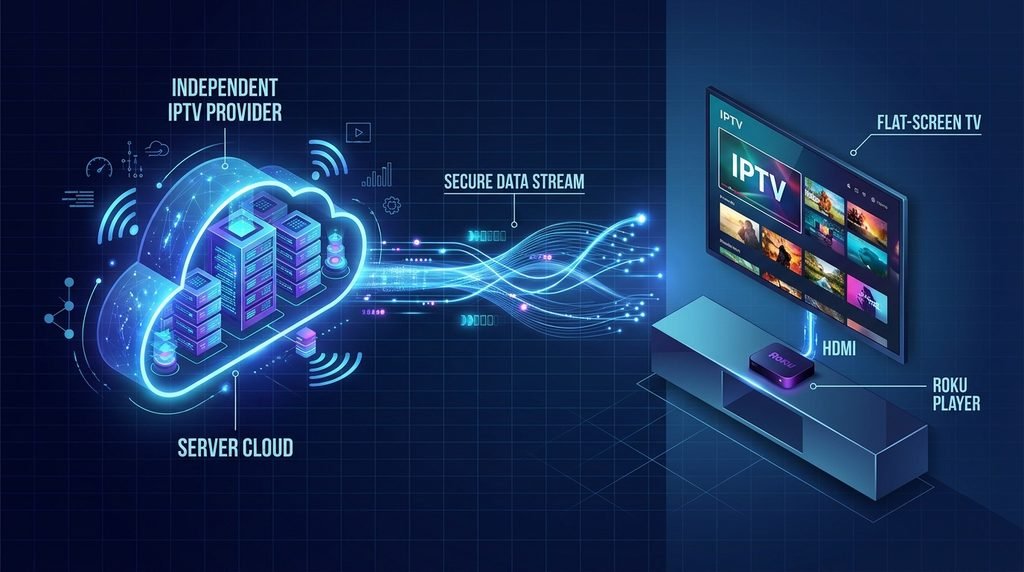
The IPTV provider and the Roku application can be two separate products. The Roku app gives you the interface, while the Roku IPTV subscription provider supplies authorized access to channels or streams that the app can use. This separation is important when judging a Roku IPTV subscription provider because software availability and subscription access are not the same thing. Installing a free media player therefore does not automatically provide sports, movies, or premium television. The reverse is also true: purchasing a subscription does not guarantee a Roku player exists for it.
Before payment, ask what happens immediately after you subscribe. You should know which app to install, what credentials you will receive, whether an activation code or playlist information is required, whether the app itself charges a fee, and whether your Roku model is supported. A Roku IPTV subscription provider should make this handoff understandable because the subscription has little practical value if the app cannot accept the supplied account format.
Questions Worth Answering Before Checkout
- What exact Roku app or player should I use?
- Is that app available on my Roku and in my region?
- Does the player require a separate purchase or activation fee?
- What login information will the provider send after payment?
- Can I test the Roku setup before choosing a long subscription?
- How many simultaneous streams or connections does the plan allow?
You do not need a twenty-question interview with support. These six questions cover the parts most likely to turn a seemingly good Roku IPTV subscription provider into a frustrating purchase. If the answers are vague, contradictory, or based entirely on Android instructions, stop and resolve the compatibility issue before committing.
Use a Trial to Prove the Full Setup
A trial is much more useful than a screenshot because it tests the entire chain at once: your Roku, your television, your network, the provider account, the player, the channel sources, and your normal viewing conditions. If you are evaluating Xtreme HD IPTV as a Roku IPTV subscription provider, use the free-trial option when available, but confirm first that the trial can be used through the Roku-compatible method you actually plan to keep.
The Roku IPTV subscription provider trial should answer practical questions rather than simply prove that one channel can open. Can you sign in without unusual workarounds? Are your essential channels present? Does the player remain stable after an hour? Can you switch channels without constant errors? Does the remote navigation feel comfortable? Does the account reconnect after the Roku restarts? A Roku IPTV subscription provider should be evaluated under the conditions you will face after the trial ends, not under ideal conditions for five minutes.
Test During Your Real Viewing Hours
If your household normally watches at 8 PM while phones, laptops, game consoles, and other televisions are also using the internet, that is when you should perform at least part of the test. A stream that looks perfect on an empty network at noon may behave differently during your normal evening routine. When judging a Roku IPTV subscription provider, real-world testing is more valuable than trying to create the easiest possible environment for the service.
Leave important streams playing for meaningful periods, especially live events if that is the content you care about. Short tests can hide problems that appear during longer sessions. Also restart the Roku or player once during the trial and make sure access returns normally. The goal is not to stress the service unrealistically; it is to learn whether the Roku IPTV subscription provider still feels reliable after the novelty of the first successful login is gone.
Check the Channels You Will Actually Watch
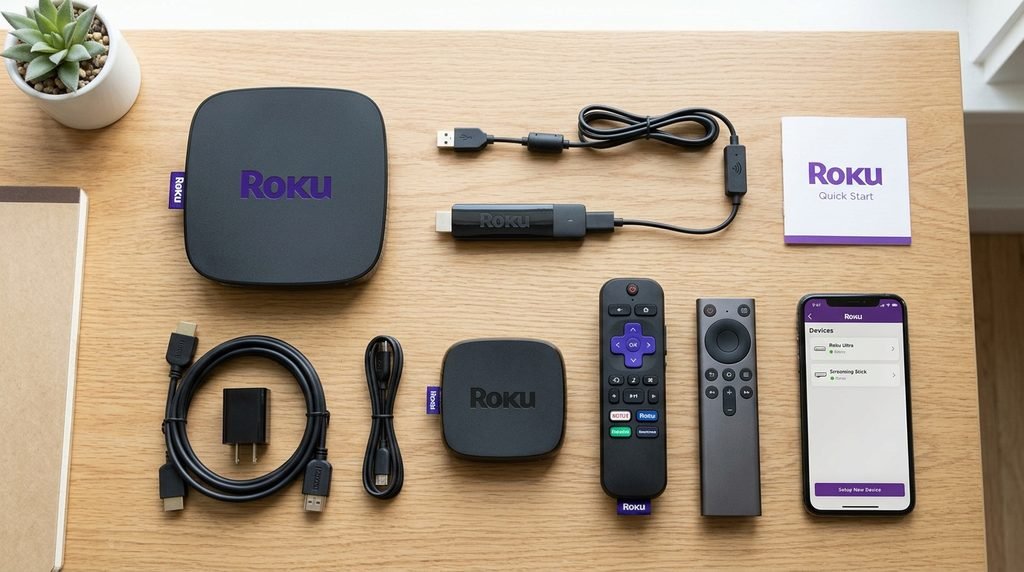
Huge channel counts are easy to market, but they are not the same as useful content. Most households repeatedly watch a small percentage of any massive catalog. Before choosing a Roku IPTV subscription provider, write down the channels and categories you would genuinely miss if they were absent. If you are evaluating Xtreme HD IPTV, review the current channel list and check the sports, news, entertainment, movie, family, regional, or international content that matters to you.
It helps to divide your list into three groups: essential, regular, and bonus. Essential content is material you would not subscribe without. Regular content is what you expect to watch frequently. Bonus content is nice to have but should not determine the purchase. This prevents a Roku IPTV subscription provider from winning your attention with a huge total count while failing the small set of channels that actually define value for your household.
| Priority | What It Means | How to Use It |
|---|---|---|
| Essential | You would not subscribe without it | Confirm before paying |
| Regular | You expect to watch it often | Test during the trial |
| Bonus | Useful but not necessary | Do not let it outweigh compatibility |
Sports Viewers Should Be Specific
“Sports included” is too broad to tell you whether a Roku IPTV subscription provider fits your needs. Think about the events and leagues you actually follow: football, NFL, NBA, Formula 1, boxing, UFC, cricket, college sports, regional sports, or international competitions. Then test the relevant channels during a live event when possible. Fast movement and long sessions make sports a particularly useful way to judge both stream quality and stability.
Test HD, 4K, Sports, and Long Sessions Realistically
A 4K-capable Roku can output high-resolution video, but a 4K label from a Roku IPTV subscription provider does not guarantee that every stream is native 4K. Picture quality depends on the original source, encoding, compression, bitrate, player, internet connection, Roku hardware, and television. That is why a stable Full HD stream can provide a better viewing experience than a 4K-labeled stream that pauses repeatedly or shows heavy compression.
Sports are useful for evaluating motion because camera pans, moving players, score graphics, grass, court texture, and crowd detail expose problems quickly. Movies are useful for different reasons: dark scenes, gradients, faces, and fine detail can reveal compression or poor source quality. When you test a Roku IPTV subscription provider, look beyond the badge in the player. Ask whether the picture actually looks clean and whether it stays clean for the full session.

| Quality Factor | What to Look For |
|---|---|
| Sharpness | Text, faces, and fine details look clear |
| Motion | Sports and camera pans remain smooth |
| Stability | Long sessions continue without frequent stops |
| Audio | Sound remains synchronized with video |
| Compression | Dark scenes and fast motion are not badly degraded |
| Startup | Channels begin in a reasonable amount of time |
This table is more useful than obsessing over a single resolution label because it describes the experience you can actually see. A Roku IPTV subscription provider should deliver a combination of acceptable image quality and consistency. If a stream looks spectacular for thirty seconds and then freezes every few minutes, the higher resolution has not created a better evening of television.
Simultaneous Connections Matter for Families
Your Roku may be the main television, but that does not mean it is the only screen in the household. Another person may want a movie on a second television while someone else watches a different stream on a tablet. Installing an app on several devices does not automatically mean a Roku IPTV subscription provider includes several simultaneous streams. The connection limit should therefore be checked before you choose a plan, especially in a family home.
Imagine the busiest realistic evening rather than your quietest one. If one person watches sports on Roku in the living room, another watches a movie on another television, and a third uses a tablet, you may need more than one simultaneous connection. A Roku IPTV subscription provider that works perfectly for one viewer can still feel restrictive if the plan blocks the household’s normal multi-screen behavior.
| Household Use | Possible Connection Need |
|---|---|
| One person watching on Roku | One connection may be enough |
| One person switching between devices | Often still one at a time |
| Two people watching different streams | Two simultaneous connections may be needed |
| Family using several screens at once | Multiple connections may be needed |
Always confirm the provider’s own connection rules because the table is a planning guide rather than a promise about a specific subscription. Connection limits are part of the value of a Roku IPTV subscription provider and should be compared alongside channel fit and pricing, not discovered after several family members try to watch at the same time. A Roku IPTV subscription provider that fits one screen may not fit a busy household.
Roku vs Firestick for IPTV
Roku and Firestick are both popular streaming platforms, but they approach applications differently. Roku can be simple when the service has a clean Roku-compatible app. Firestick generally offers more flexibility for IPTV applications because it is based on a different ecosystem and can support installation methods that are not normal on Roku. That means the better device depends partly on the software your Roku IPTV subscription provider expects you to use.
| Feature | Roku | Firestick |
|---|---|---|
| Main consumer app route | Roku app ecosystem | Amazon Appstore and Fire TV ecosystem |
| Android APK model | Not the normal model | Possible on compatible Fire OS devices |
| Developer sideloading | Roku development apps for testing | Different platform and workflow |
| IPTV player flexibility | More dependent on available Roku apps | Usually broader |
| Best situation | A supported Roku player already exists | You need wider app flexibility |
If you already own a Roku and the provider has a supported app that works well, there may be no reason to change devices. If the Roku IPTV subscription provider depends on a player that is unavailable on Roku but works cleanly on Fire TV or Android TV, another device may be the easier long-term solution. The platform should serve the software you need, not force you into a complicated workaround simply because the television already has a Roku attached.
Compare Pricing Only After Compatibility Is Proven
Pricing belongs near the end of the decision because a cheap subscription is not a bargain if you cannot use it properly. First prove that the Roku IPTV subscription provider works with your model, that the recommended app is available, that your must-have channels are present, and that playback remains stable under normal conditions. Once those questions have positive answers, compare plan lengths and total cost. If you are considering Xtreme HD IPTV, use the current pricing page rather than an old screenshot or third-party coupon post.
Short plans and long plans solve different problems. A shorter subscription gives a new user more flexibility while learning how the Roku setup behaves. A longer plan can become more attractive after the same Roku IPTV subscription provider has worked reliably for several weeks or months. Even if a long plan has a lower monthly equivalent, that saving only matters when you are comfortable using the service for the full commitment period.
Do Not Let the Annual Discount Make the Decision for You
An annual discount can be useful for an established user, but it should not replace the trial. If you have not yet proven Roku compatibility, app availability, your essential content, and network stability, a lower monthly equivalent does not remove that uncertainty. The smartest Roku IPTV subscription provider purchase is usually the one where the duration matches your confidence level. New users buy flexibility; tested users can consider buying longer-term value.
Common Roku IPTV Problems and What They Mean
Once the service is running, problems should still be diagnosed by symptom. If the recommended app is missing from the Roku ecosystem, that is an app-availability problem, not a reason to download an Android APK. If the app is installed but the channel list is incomplete, refresh or reconnect using the options provided by the supported application and compare the result with the provider’s current channel information. A Roku IPTV subscription provider should be judged by patterns rather than one temporary failure.
If a 4K stream looks poor, confirm that the Roku model and television support the expected resolution, then test several high-quality streams instead of one. If buffering appears across all channels, open another streaming app on the Roku to see whether the local network or device is also struggling. If only one channel fails, the issue may be isolated. The same troubleshooting rule that works on other streaming platforms works here too: change one variable at a time so you learn what actually changed the result.
- The App Is Not Available : Confirm the exact app name, region, and current provider instructions. If the provider says it supports Roku but you cannot find the recommended application, ask for the current Roku method before paying or renewing. Do not assume a Firestick installation package can simply be moved across. A Roku IPTV subscription provider should have a setup route that respects the platform you own.
- The App Was Added but Does Not Appear : Check for a Roku system update and restart the device if appropriate. Account-linked app changes can sometimes take time to appear depending on the route used to add them. If the app remains missing, confirm that the same Roku account is in use and that the application is supported on the device. Avoid turning a simple synchronization or compatibility issue into a complete reset before you understand the cause.
- The Channel List Is Missing Content : Refresh or reconnect using the supported app’s normal options and compare the results with the current channel list. If the Roku IPTV subscription provider shows most categories normally but one expected channel is absent, ask about that content specifically instead of assuming the whole subscription failed. A precise question is easier to answer than “the channels are missing.”
- 4K Looks Worse Than Expected : Resolution capability is only one part of quality. A 4K-capable Roku and television cannot create detail that is not present in the source. Compression, bitrate, player behavior, and network stability can all reduce the visible result. When evaluating a Roku IPTV subscription provider, compare several streams and longer sessions before deciding whether the quality claim matches what you see.
Common Buying Mistakes to Avoid
The first mistake is buying before confirming the Roku app. The second is assuming Roku works like Android and following an APK tutorial. The third is choosing a Roku IPTV subscription provider mainly because it advertises an enormous channel number without confirming your favorites. Another common mistake is committing for twelve months after a very short test that never included normal evening network conditions, long viewing sessions, or a restart of the device.
- Confirm the Roku-compatible app or viewing method before payment.
- Do not treat Firestick Downloader or Android APK instructions as Roku instructions.
- Test your essential content instead of judging only the total channel count.
- Use the real Roku device you intend to keep using after the trial.
- Check simultaneous-connection needs before buying for a family household.
- Compare long-term pricing only after the setup has proved reliable.
- Keep account credentials private and avoid unknown payment or app sources.
These habits matter because a Roku IPTV subscription provider is not just a catalog of streams. It is the combination of provider access, Roku software, hardware, network conditions, content fit, and the subscription rules you are paying for. A weakness in any one of those areas can reduce the value of an otherwise attractive plan.
Frequently Asked Questions
Can I Buy an IPTV Subscription for Roku?
Yes, when the Roku IPTV subscription provider has a viewing method that works with your Roku device. Confirm the app or player before purchasing and make sure it accepts the account information the provider supplies. Compatibility should be proven before you choose a long plan.
Can Roku Install IPTV Apps?
Roku can install compatible apps through its own app ecosystem. That is different from normal Android APK installation. When evaluating a Roku IPTV subscription provider, search for the recommended Roku app first rather than assuming any IPTV player mentioned in an Android tutorial will also exist on Roku.
Can I Install an Android APK on Roku?
Roku does not use the normal Android APK installation model. The platform has its own developer workflow for testing Roku applications, but that should not be confused with installing ordinary Android packages. A Roku IPTV subscription provider should therefore provide Roku-specific instructions when Roku is genuinely supported.
Can I Test IPTV Before Buying?
Use the IPTV free trial when available, but first verify that the trial works with your Roku-compatible setup. The point of testing a Roku IPTV subscription provider is to prove the real device, app, channels, and connection you plan to use, not to test successfully on a different platform and assume Roku will behave the same way. If you want general background on the term, television delivery covers a much broader set of technologies than any one streaming platform.
Is Roku or Firestick Better for IPTV?
Roku can be simple when the provider has a compatible Roku app. Firestick generally offers broader app flexibility because it uses a different ecosystem. The better choice depends on the software your Roku IPTV subscription provider requires. If the Roku IPTV subscription provider route is clean and stable, Roku may be perfectly adequate; if the required player is not available, another platform may be more practical.
Should I Buy One Month or Twelve Months?
New users often benefit from a shorter plan because it preserves flexibility while they test the Roku setup. A longer plan can make more sense after the same Roku IPTV subscription provider has proven reliable on your device, network, and normal viewing schedule. Compare the monthly equivalent only after you are comfortable with the underlying setup.
Why Does One Channel Buffer While Others Work?
If several unrelated channels work normally and one buffers, the problem may be limited to that stream rather than the entire account or network. Test a few alternatives before resetting anything. A Roku IPTV subscription provider should be evaluated across multiple streams and viewing periods, not judged from one temporary interruption.
Final Verdict: Choose Compatibility Before Commitment
The most important part of choosing a Roku IPTV subscription provider in 2026 is proving the Roku route before you pay for a long subscription. Identify the exact Roku model, search for the supported application, understand how the provider account connects to that app, and use a trial on the same television environment you plan to keep. Then verify the channels that matter, test longer sessions, compare picture quality realistically, and decide how many simultaneous connections your household needs.
Only after those pieces work together should pricing become the deciding factor. A strong Roku IPTV subscription provider does not need to win with the biggest channel number or the loudest annual discount. It needs to give you a practical Roku setup, relevant content, acceptable quality, stable everyday use, and a subscription length that matches your confidence. If those conditions are proven, a longer plan can make sense. If compatibility is still uncertain, the smarter move is to keep the commitment short until the Roku setup has earned your trust.
The key is simple: do not purchase first and try to force the service onto Roku later. Find the app, prove the setup, test the content, measure the experience in your normal household conditions, and then choose the Roku IPTV subscription provider plan that matches what you already know works. That process takes a little more preparation, but it is far cheaper than discovering after checkout that the app, platform, or connection rules never fit your Roku in the first place.