
Best IPTV App for Firestick With Subscription: 9 Picks for 2026
Finding the best IPTV app for Firestick with subscription is easier when you stop treating the app and the subscription as one purchase. The Firestick is the hardware, the IPTV player is the interface, and the subscription is the service that supplies the channels or authorized streams. A strong setup only works when those three pieces fit each other. You can have a polished app and a weak subscription, or a good subscription and an app that feels clumsy on the television. The right choice is the combination that is compatible, stable, easy to control from the sofa, and suited to the way your household actually watches TV.
This guide takes a pairing approach instead of ranking nine apps in a row. The goal is to help you identify the Fire TV device you own, choose the player style that matches your habits, confirm the login format your subscription uses, and then test the whole setup on the actual Firestick before paying long term. For many compatible Fire OS setups, TiviMate remains one of the strongest television-focused players because it supports common playlist formats and offers EPG, favorites, search, catch-up, recording, parental controls, and multiview. But the best IPTV app for Firestick with subscription still depends on your exact Fire TV model, your provider credentials, your network, and how much complexity you want.
Table of Contents
Think of the Firestick Setup as a Four-Piece System
The fastest way to understand the best IPTV app for Firestick with subscription is to separate the setup into four parts. The Fire TV device runs the software. The player organizes the television experience. The subscription supplies the content and account access. The home network carries the stream. When something goes wrong, the failure usually belongs to one of those parts rather than the entire system.
| Part | What It Controls | Typical Failure |
|---|---|---|
| Fire TV hardware | Processing, storage, remote, app support | Slow menus, crashes, low storage |
| IPTV player | EPG, favorites, search, playback interface | Login-format mismatch, bad navigation |
| Subscription | Channels, VOD, account access, connections | Missing content, expired account, unstable streams |
| Network | Delivery speed and stability | Buffering, slow loading, reconnection problems |
This model matters because the best IPTV app for Firestick with subscription should not be judged by the app alone. If the subscription has poor streams, a premium player cannot repair them. If the Firestick is nearly full or the Wi-Fi signal is weak behind the television, switching providers may not solve the problem. A good choice begins by making sure each layer is doing its own job. In other words, the best IPTV app for Firestick with subscription should be judged as a complete living-room system rather than as a download in isolation.
First Pairing Decision: Which Fire TV Environment Do You Have?
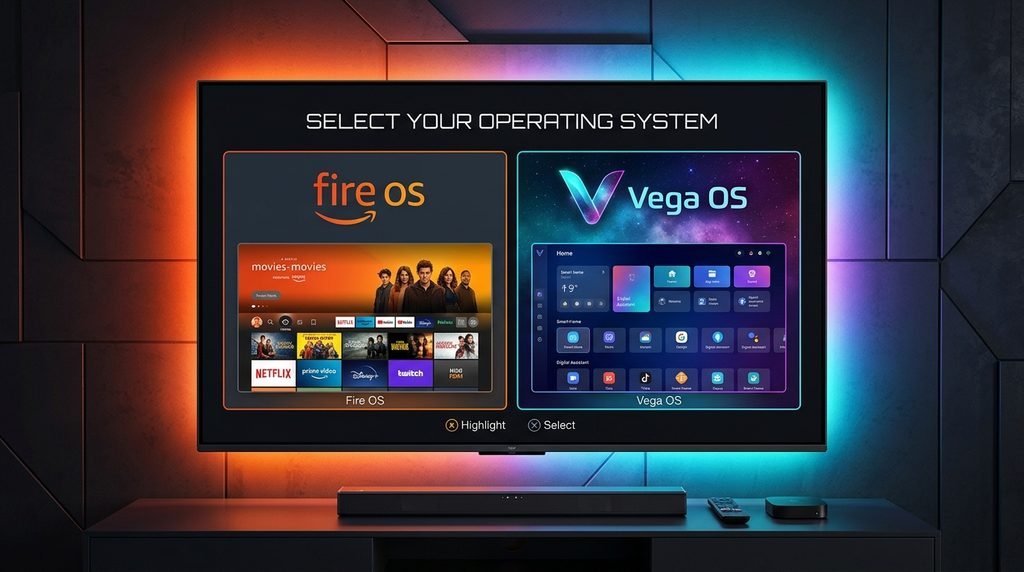
In 2026, checking the exact Fire TV model matters more than it used to. Fire TV devices no longer all belong to one identical software environment, so an old installation tutorial should not automatically be assumed to work on every new stick. Some existing devices use Fire OS, while newer hardware can use Amazon’s Vega OS. That affects what apps are available and how installation works, which means the best IPTV app for Firestick with subscription starts with knowing the operating system and model rather than blindly copying a Downloader code.
Open the device settings and identify the Fire TV model before installing anything. Then search the Amazon Appstore on that device and compare what is actually available with the provider’s current setup instructions. If you are using Xtreme HD IPTV, the Xtreme HD IPTV installation guide should be the reference for the current supported setup path. This is safer and more useful than following an old video made for a different generation of Firestick.
Fire OS and Vega OS Should Not Be Treated as Identical
Older guides often assume that every Fire TV behaves like an Android-based device and can use the same APK workflow. That assumption is becoming less reliable as Amazon expands Vega OS hardware. The best IPTV app for Firestick with subscription should therefore be selected for the actual operating system in front of you. If the player is available through the device’s normal app store, that is usually the cleanest path. If a compatible Fire OS setup requires sideloading, use a trusted source and current instructions rather than a random file-hosting page.
The practical rule is simple: model first, app second. That order keeps the best IPTV app for Firestick with subscription tied to hardware that can actually run it. Do not choose the player because somebody says it is “the best” and only afterward discover that your particular Fire TV environment does not support the same installation method.
Second Pairing Decision: What Kind of Viewer Are You?
Different people mean different things when they search for the best IPTV app for Firestick with subscription. One person wants the simplest possible interface. Another wants a cable-style guide. A sports fan may care about multiview and fast switching. A power user may want recording, multiple playlists, and deep customization. The best player is the one that fits your daily behavior rather than the one with the longest feature list. For that reason, the best IPTV app for Firestick with subscription can be different for a beginner, a sports fan, and a power user.
| Viewer Type | Player Priority | What to Test |
|---|---|---|
| Beginner | Simple login and clean navigation | Setup speed, favorites, search |
| Traditional TV viewer | Strong EPG and remote-first interface | Guide, channel switching, categories |
| Sports fan | Fast switching, favorites, multiview | Live events, stability, connection limits |
| Power user | Multiple playlists, recording, advanced controls | Storage, app stability, long sessions |
| Family | Simple favorites, parental controls, predictable menus | Ease of use for multiple household members |
For a Beginner, Simplicity Beats Feature Count
A beginner does not need every advanced control on day one. The best IPTV app for Firestick with subscription for this viewer should make it obvious where the live channels are, how to open the guide, how to search, and how to save favorites. A provider-recommended player or another straightforward television-focused app may be better than a highly customizable player if the extra menus make the setup confusing.
Start with one playlist and a small favorites group. Learn the remote shortcuts you use every day. Once the basic routine feels natural, explore other features gradually. The best IPTV app for Firestick with subscription should reduce friction, not turn television into a software project. A beginner should be able to judge the best IPTV app for Firestick with subscription by how quickly normal viewing becomes familiar.
For a Cable-Style Viewer, the EPG Is the Center of the Experience
If you are used to a traditional television guide, the player should make live TV feel familiar. TiviMate is strong in this type of setup because it is designed around TV screens and remote navigation, with a grid-style EPG, favorites, search, multiple playlists, and other television-focused controls. The best IPTV app for Firestick with subscription for this viewer is less about flashy features and more about getting from the home screen to the right channel quickly.
Guide quality also depends on the subscription. A beautiful EPG interface cannot invent program data that the provider does not supply. That is why the player and service need to be tested together. A good interface with incomplete guide data can still feel frustrating in everyday use. The best IPTV app for Firestick with subscription therefore depends on both player design and the quality of the subscription data feeding it.
Where TiviMate Fits-and Where It Does Not
TiviMate is often mentioned when people search for the best IPTV app for Firestick with subscription because its interface is built around television use rather than touch-screen navigation. It supports common playlist formats such as M3U, Xtream Codes, and Stalker Portal, while features can include EPG, favorites, search, catch-up, recording, parental controls, and multiview. Those tools can make a large IPTV library much easier to manage from a Fire TV remote.
The important limitation is that TiviMate is a media player, not the content subscription. Paying for TiviMate Premium can unlock player features, but it does not automatically provide television channels, movies, sports, or a service account. The best IPTV app for Firestick with subscription therefore still requires two decisions: which player will organize the interface and which legitimate subscription will supply the content. That separation is central to choosing the best IPTV app for Firestick with subscription without paying for the wrong thing.
Premium Player Cost and Subscription Cost Are Separate
This distinction matters when comparing price. The player may have a free or premium tier, while the IPTV service has its own subscription plan. The Firestick itself and the internet connection are separate costs again. When deciding on the best IPTV app for Firestick with subscription, calculate the full setup rather than assuming one payment covers everything.
| Cost | What It Pays For |
|---|---|
| Fire TV hardware | The streaming device |
| IPTV player premium | Extra interface or playback features |
| IPTV subscription | Provider account and content access |
| Internet service | The connection carrying the streams |
| Optional network accessory | Ethernet or other connectivity improvements |
Third Pairing Decision: Match the App to the Subscription Login
A polished player is useless when it cannot understand the account format your provider gives you. Before choosing the best IPTV app for Firestick with subscription, confirm whether the subscription provides Xtream-style credentials, an M3U playlist, a portal address, or another supported login method. That information should come from your own provider or setup instructions, not from credentials copied out of a forum or video.
If the player supports the format, the setup is straightforward in principle: install the app, enter the supplied account information exactly, allow the playlist and EPG to load, and then test the channels. If the format does not match, choose another compatible player rather than forcing the wrong account type into fields that were designed for something else.
Common Account Formats
| Format | What You Usually Receive |
|---|---|
| Xtream-style login | Username, password, server URL |
| M3U | Playlist URL |
| EPG | Guide URL or integrated guide data |
| Portal | Provider-specific portal address and account details |
The best IPTV app for Firestick with subscription should make the account format feel natural rather than fragile. A clean login path is one of the simplest signs that the best IPTV app for Firestick with subscription is genuinely compatible with the service. If you are constantly re-entering data, fighting the wrong fields, or using a workaround that breaks after every app update, the pairing is not really working even if the stream eventually opens.
Use the Trial as a Pairing Test on the Actual Firestick
A phone test cannot tell you whether you have the best IPTV app for Firestick with subscription because the Firestick has a different remote, Wi-Fi position, processor, storage level, and television interface. If the provider offers trial access, test the account on the same Fire TV device and television you plan to use after purchase. For Xtreme HD IPTV, the 24-hour IPTV free trial gives you a way to evaluate the pairing before choosing a longer plan.
Prepare the player before activation so the trial is spent watching rather than hunting for installation instructions. Once the account is loaded, test your most important channels, one longer live stream, the EPG, search, favorites, app restart behavior, and evening performance. If sports matter, use a real event. If VOD matters, search for specific titles rather than only browsing featured categories. The best IPTV app for Firestick with subscription should feel stable after the novelty of the first few minutes wears off. A trial is where the best IPTV app for Firestick with subscription has to prove that the pairing works beyond the login screen.
A Better Firestick Trial Scorecard
| Test Area | What Passing Looks Like |
|---|---|
| Login | Credentials are accepted without repeated errors |
| Playlist | Categories load in a reasonable time |
| Must-have channels | Your priority content is present and playable |
| EPG | Guide data is useful on favorite channels |
| Remote navigation | Menus and common actions feel predictable |
| Channel switching | Moving between streams is responsive |
| Long session | Playback remains stable without constant intervention |
| Evening use | Performance holds during normal household activity |
The Subscription Still Has to Contain the Right Content
Even the best IPTV app for Firestick with subscription cannot make a missing channel appear. Before choosing a service, identify the live channels, sports, countries, languages, news networks, movies, or series that actually matter to your household. Then compare those priorities against the provider’s current catalog. If you are considering Xtreme HD IPTV, use the current channel list rather than relying only on a total channel number.
Most households repeatedly watch a relatively small part of a large IPTV library. A service advertising thousands of channels can still be a poor fit when your essential twenty are missing or difficult to find. The best IPTV app for Firestick with subscription is therefore a combination of interface quality and content relevance. One without the other is not enough. The best IPTV app for Firestick with subscription should make your important content easier to reach, not simply present a huge library more attractively.
For readers who want a broad background definition of television, the general concept is familiar: the technology and delivery method can change, but the viewer still needs a practical way to find and watch the programs that matter. IPTV simply changes how that content reaches the screen and how the interface organizes it.
The Remote Is Part of the App Review
A Firestick is used from a sofa, not like a phone. That means remote-control design should be a major part of the best IPTV app for Firestick with subscription decision. An app can have excellent features and still feel wrong if ordinary actions require awkward menus, touch-style gestures, or too many clicks. Test the buttons you will use every day: guide, back, channel change, search, favorites, pause where supported, and category navigation.
A good television player should reduce repeated movement through menus. If you can open the app, reach favorites, see what is currently playing, and change channels quickly, the interface is doing useful work. If every action feels like navigating settings, the app may be technically capable without being comfortable. Remote comfort is one of the most practical ways to separate the best IPTV app for Firestick with subscription from an app that merely has more options.
For Sports Fans, Multiview and Stability Matter More Than Fancy Menus
Sports users often need a different version of the best IPTV app for Firestick with subscription. Fast channel switching, reliable favorites, useful guide data, and multiview can matter more than deep visual customization. TiviMate’s multiview support can be attractive when you follow several games, but it also increases the demands placed on the device, network, and subscription.
Each active stream may count against the service’s simultaneous connection allowance. Several streams also require more bandwidth and processing than one. Before assuming multiview is part of your normal setup, confirm the provider’s connection rules and test the feature during a real event. The best IPTV app for Firestick with subscription should remain usable under the workload you actually intend to create. For sports households, the best IPTV app for Firestick with subscription must stay responsive when the viewing session becomes demanding.
4K Matters, but the Player Cannot Create Source Quality
A 4K Fire TV Stick and 4K television can produce excellent results when the source is genuinely high quality and the network stays stable. But the best IPTV app for Firestick with subscription should not be chosen because the interface displays a “4K” badge. Picture quality depends on the original source, bitrate, encoding, Fire TV hardware, player, television, and network conditions.
During a trial, compare HD, Full HD, and available high-resolution streams on content you know well. Sports are useful because grass, crowds, text, and fast motion reveal compression quickly. A stable Full HD match can provide a better viewing experience than a higher-resolution feed that repeatedly buffers. Resolution is valuable only when the rest of the system can deliver it consistently.
Older Hardware Can Become the Bottleneck
Fire TV generations vary in processing power, storage, networking, and operating system. A demanding player with a huge playlist may feel smooth on a newer model and sluggish on an older stick. If the app takes a long time to load the EPG, crashes frequently, or the entire device feels slow, check available storage and hardware age before blaming the subscription. The best IPTV app for Firestick with subscription should fit the device you own rather than forcing the weakest hardware to handle a workload it struggles with.
What to Pair With an Xtreme HD IPTV Subscription
If your Fire TV model supports a television-focused player such as TiviMate and the Xtreme HD IPTV account format is compatible, that pairing can provide a clean everyday interface. The best IPTV app for Firestick with subscription in this situation should be configured with your own subscription credentials, not treated as if the app itself supplies the channels. Follow the current Xtreme HD IPTV setup instructions for the device and login method you are using.
Then test the service before making a long commitment. Use the Xtreme HD IPTV trial, verify important categories through the channel list, and only after the pairing performs well compare the current subscription pricing. The best IPTV app for Firestick with subscription is proven by how the app and account behave together on your television.
Price the Combination, Not Just the Subscription
Once the setup has passed your test, compare cost. The best IPTV app for Firestick with subscription can involve the provider fee plus an optional premium-player fee. That does not automatically make a premium player poor value; if you use the guide, favorites, recording, or multiview every day, the interface can be worth paying for. A casual viewer may be perfectly happy with a simpler option.
For the subscription itself, compare plan length only after the service works. Longer terms may reduce the effective monthly price, while shorter plans preserve flexibility. A successful 24-hour trial is useful, but it cannot show every weekend, sports event, software update, or network condition you will experience over a year. A shorter first paid term can make sense while you continue evaluating the combination.
Troubleshoot the Pairing by Symptom
When the best IPTV app for Firestick with subscription candidate misbehaves, identify the symptom before resetting everything. If the app will not install, investigate compatibility and the Fire TV environment. If the app opens but login fails, check the account details. If the playlist loads but channels fail, compare other streams and the network. If the interface is slow, check storage and device performance.
| Symptom | Most Useful First Check |
|---|---|
| App unavailable | Fire TV model, OS, app-store compatibility |
| Installation fails | Storage, trusted install method, correct app version |
| Login rejected | Credentials, format, subscription status |
| Playlist loads, channels fail | Several streams plus normal internet video |
| One channel buffers | Try alternate channels |
| Everything buffers | Wi-Fi, household network, Firestick connection |
| EPG blank | Guide refresh, provider data, device time |
| App feels slow | Free storage, device age, playlist size |
This symptom-first approach protects a working setup. Do not delete the player because one channel fails. Do not change the network because the username was typed incorrectly. Do not blame the subscription because an old Firestick has almost no storage. Each layer deserves its own test.
Use a Pairing Scorecard Before You Commit
Instead of asking whether one app is universally the best IPTV app for Firestick with subscription, score the combination you actually tested. Give more weight to the areas that matter in your household. A sports viewer might double the importance of stream stability and favorites. A family may value ease of use and parental controls. A power user may care more about recording and multiview.
| Area | Your Score |
|---|---|
| Fire TV compatibility | /10 |
| Login/setup simplicity | /10 |
| Remote-control usability | /10 |
| EPG and favorites | /10 |
| Must-have channels | /10 |
| Live sports stability | /10 |
| Picture/audio quality | /10 |
| Evening performance | /10 |
| Advanced features | /10 |
| Total cost | /10 |
If the combination scores well where you care most, you have a better reason to call it the best IPTV app for Firestick with subscription for your home. That scorecard keeps the best IPTV app for Firestick with subscription tied to your own viewing priorities rather than somebody else’s ranking. If it looks impressive but fails on the basic things you use every night, keep looking.
Frequently Asked Questions About the Best IPTV App for Firestick With Subscription

What is the best IPTV app for Firestick with subscription?
For compatible Fire OS setups, TiviMate is a strong choice for users who want a remote-first television interface, EPG, favorites, search, multiple playlist formats, recording, catch-up, parental controls, and multiview. The best IPTV app for Firestick with subscription still depends on your exact Fire TV model and the login format supplied by your provider.
Does TiviMate include an IPTV subscription?
No. TiviMate is a media player. Its premium version can unlock player features, but it does not provide television channels or streams. You need a separate legitimate subscription or playlist to create the complete best IPTV app for Firestick with subscription setup.
Can I use Xtreme HD IPTV on Firestick?
Use the Xtreme HD IPTV installation guide to check the current method for your particular Fire TV device. Because Fire TV hardware can now use different operating-system environments, verify the exact model rather than assuming every Firestick follows the same tutorial.
Should I use a free IPTV player or pay for a premium one?
A free player can be enough for simple playback. A premium player becomes more attractive if you regularly use advanced guide controls, multiple playlists, recording, multiview, deeper favorites, or customization. The best IPTV app for Firestick with subscription can still be free if your needs are simple. The best IPTV app for Firestick with subscription is the one whose paid features improve your daily viewing enough to justify the cost.
Can I test the subscription before buying long term?
Yes, when the provider offers trial access. Test the account on the actual Firestick and television rather than only on a phone. Use normal evening conditions, priority channels, EPG, favorites, long sessions, and live sports when relevant.
Final Verdict: The Best Firestick Setup Is a Good Pairing, Not One Magic App
The best IPTV app for Firestick with subscription is not one piece of software that solves every problem. It is a pairing between the Fire TV hardware, a compatible television-focused player, a legitimate subscription, and a stable network. TiviMate can be an excellent player for compatible Fire OS environments because of its remote-first interface and advanced playlist features, but it still needs a separate subscription that supplies the actual content.
Start with your exact Fire TV model and operating system. Choose a player style that fits the viewer using it. Confirm the provider’s login format before paying. Test the subscription on the real Firestick, check the channels you actually watch, judge EPG and remote usability, and compare evening playback instead of relying on screenshots. If you are considering Xtreme HD IPTV, use the installation guide, channel list, free trial, and pricing page in that order.
When the player installs cleanly, the account authenticates, important channels remain stable, the guide is useful, the remote feels natural, and the subscription performs during real household viewing, you have found the best IPTV app for Firestick with subscription for your own setup. That evidence matters much more than choosing whichever player has the longest feature list. The best IPTV app for Firestick with subscription should win through daily use, not marketing.