


Best IPTV Subscription for Nvidia Shield: 9 Smart Checks for 2026
Choosing the best IPTV subscription for Nvidia Shield is not mainly about finding the service with the biggest channel count. NVIDIA SHIELD is already a capable streaming platform, so the more useful question is whether the subscription, player, network, and viewing habits can take advantage of that hardware. A provider can advertise thousands of channels and high-resolution streams, but the experience can still feel weak if the login format does not work with your preferred Android TV player, the EPG is incomplete, the streams are inconsistent, or the plan does not allow enough simultaneous connections for your household.
A better way to judge the best IPTV subscription for Nvidia Shield is to start with the workload you expect the box to handle. A person who watches ordinary live TV has different requirements from someone who uses multiview for sports, records programs, runs a very large EPG, or expects long 4K HDR viewing sessions over Ethernet. This guide builds the decision around those workloads. It explains what SHIELD contributes, what the IPTV provider still has to prove, how a player such as TiviMate fits between the two, and how to test the complete system before choosing a subscription length.
Table of Contents
The SHIELD IPTV System: Hardware, Player, Subscription, Network
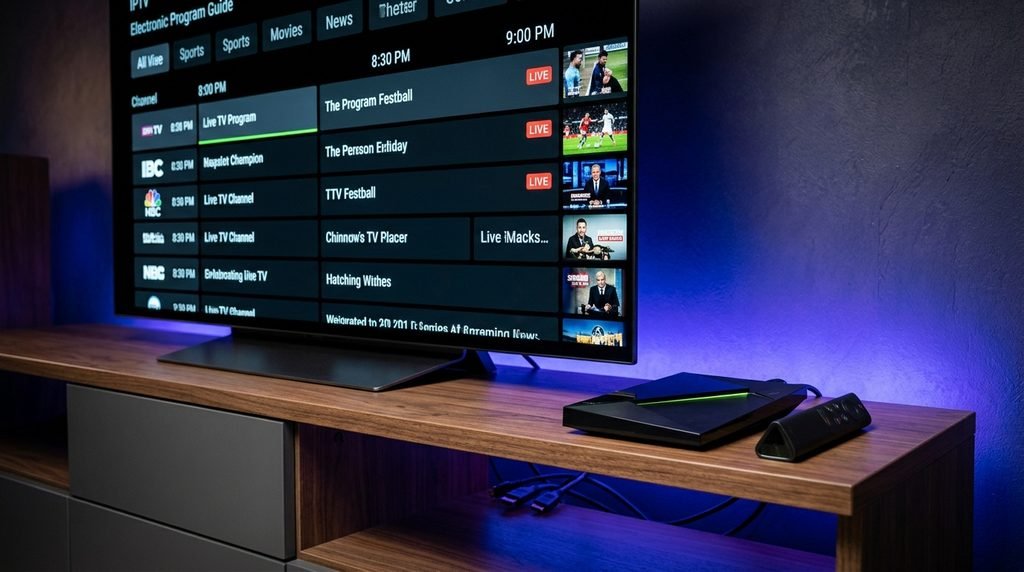
The best IPTV subscription for Nvidia Shield only makes sense when the four layers of the setup are separated. SHIELD TV is the hardware. An Android TV IPTV player provides the interface. The subscription supplies the authorized playlist or account access. Your network carries the streams. One layer cannot fully compensate for another. A powerful box cannot create a missing channel, and a strong provider cannot prevent weak Wi-Fi from causing local buffering.
| Layer | What It Controls | What It Cannot Fix |
|---|---|---|
| NVIDIA SHIELD | Processing, video output, Ethernet, app performance | Missing or unreliable provider streams |
| IPTV player | EPG, favorites, search, playback controls, multiview | Content the subscription does not provide |
| Subscription | Channels, VOD, account access, connection limits | Weak home network or underpowered display |
| Network | Delivery stability and available bandwidth | Poor source quality or bad credentials |
This system view immediately improves the search for the best IPTV subscription for Nvidia Shield because it prevents the common assumption that buying premium hardware guarantees premium IPTV. SHIELD can provide a strong foundation, but the subscription still has to deliver useful channels, consistent streams, suitable account formats, and support that matches the way you intend to use the box.
What NVIDIA SHIELD Can Contribute to IPTV
NVIDIA SHIELD TV is well suited to demanding television applications because it runs Android TV, supports 4K HDR playback, includes Gigabit Ethernet, and uses the Tegra X1+ processor. SHIELD TV Pro adds more memory and storage along with two USB 3.0 ports. Those differences can matter for users who maintain larger applications, want external storage, use recording features, run Plex, or expect more demanding multitasking.
That hardware makes the best IPTV subscription for Nvidia Shield different from choosing a subscription for a low-cost stick or an older Smart TV. The box is less likely to be the first bottleneck when loading a large playlist, navigating a detailed EPG, or playing high-quality video. However, the hardware should be treated as capacity rather than a promise. The provider and source stream still determine what picture and channel reliability reach the device.
Standard SHIELD TV or SHIELD TV Pro?
For normal live television and VOD, the best IPTV subscription for Nvidia Shield does not require the Pro model to be useful; the standard SHIELD TV can already be a capable platform. The Pro becomes more interesting when your setup is heavier: recording, external storage, larger local media libraries, demanding background applications, or more advanced home-theater use. The best IPTV subscription for Nvidia Shield does not change simply because you buy the Pro, but the extra headroom can make a complex setup easier to manage.
| Feature | SHIELD TV | SHIELD TV Pro |
|---|---|---|
| Processor | Tegra X1+ | Tegra X1+ |
| RAM | 2 GB | 3 GB |
| Storage | 8 GB | 16 GB |
| Ethernet | Gigabit | Gigabit |
| 4K HDR | Supported | Supported |
| Dolby Vision | Supported | Supported |
| USB 3.0 | No | Two ports |
| Best fit | Normal streaming | Heavier or expandable setups |
Workload 1: Everyday Live TV and a Clean EPG
For a viewer who mainly wants ordinary live television, the best IPTV subscription for Nvidia Shield should prioritize consistency and organization over advanced features. In this workload, the best IPTV subscription for Nvidia Shield is the one that makes everyday navigation boringly reliable rather than technically impressive. The account should load cleanly in the chosen player, the EPG should cover the channels you use most, favorites should be easy to build, and channel switching should feel responsive. The SHIELD has enough hardware power that a basic live-TV setup should not require constant tweaking once it is configured correctly.
Before paying, verify the login format. TiviMate and similar Android TV players can support common formats such as M3U, Xtream-style credentials, and portal-based access depending on the application. The best IPTV subscription for Nvidia Shield is one that works with the player you actually want to use instead of forcing you into an awkward interface simply because the provider chose a different delivery method.
Know What Account Information You Will Receive
| Login Type | Typical Information |
|---|---|
| Xtream-style | Username, password, server URL |
| M3U | Playlist URL |
| EPG | Guide-data URL or integrated source |
| Portal | Provider-specific address and account details |
When comparing the best IPTV subscription for Nvidia Shield, do not judge compatibility after purchase. Ask or verify how the subscription connects before committing. If you are considering Xtreme HD IPTV as the service layer, begin with the installation guide and confirm that the setup method matches the player and SHIELD environment you want to use. That saves time and gives you a cleaner test of the best IPTV subscription for Nvidia Shield candidate.
Workload 2: Live Sports and Long Peak-Time Sessions
Sports are where the best IPTV subscription for Nvidia Shield should prove more than quick channel startup. For sports-first households, the best IPTV subscription for Nvidia Shield has to survive the exact peak-time conditions that made the hardware investment worthwhile. A football match, boxing card, Formula 1 race, basketball game, or another long live event exposes problems that a five-minute daytime test may hide. Fast motion reveals compression and frame issues, while peak demand can expose buffering or stream instability. If sports are central to the purchase, your evaluation should be built around real events.
Start by checking whether the specific sports and regional channels you need are present. The current channel list can be used to compare Xtreme HD IPTV against your own priorities. Do not stop at a general “sports” category. Write down the leagues, networks, countries, or events that matter and verify those. The best IPTV subscription for Nvidia Shield is the one that serves your actual sports routine, not the one with the most sports folders.
What a Proper SHIELD Sports Test Looks Like
Use the SHIELD on the television where you normally watch and let the stream run for a meaningful part of the event. The best IPTV subscription for Nvidia Shield should stay convincing after the first few minutes. Watch motion clarity, audio synchronization, buffering, channel startup, and whether picture quality changes during the session. If another version of the same event is available, compare it. Test during the same evening hours you expect to use the service after subscribing. The best IPTV subscription for Nvidia Shield should perform when the content matters, not only when the network is quiet.
Multiview deserves separate attention for sports fans. TiviMate can support multiview, but each active stream adds network and connection demand. If you expect to watch several games at once, confirm that the subscription allows the required simultaneous streams. A one-connection account cannot become a four-stream sports wall simply because SHIELD has enough processing power.
Workload 3: 4K HDR and Home-Theater Viewing

SHIELD’s video capabilities make picture quality an obvious part of the best IPTV subscription for Nvidia Shield decision. A home-theater buyer should judge the best IPTV subscription for Nvidia Shield by source quality and sustained playback before being impressed by a resolution badge. The hardware supports 4K HDR playback, Dolby Vision, and AI-enhanced upscaling. Those features can make it an excellent home-theater box, but they do not change the resolution or bitrate of the source delivered by the provider. A low-quality stream remains a low-quality source even when the television and SHIELD are capable of much more.
When testing 4K or high-quality channels, judge the picture rather than the label. Look at sharpness, motion, compression, audio synchronization, startup time, frame stability, and buffering. Sports and detailed outdoor scenes are useful because grass, crowds, text, and fast camera movement reveal problems quickly. A stable high-bitrate Full HD stream may look better than a poorly compressed stream carrying a 4K badge.
AI Upscaling Is Not Native 4K
NVIDIA’s AI-enhanced upscaling can improve the presentation of lower-resolution material on a 4K display, but it does not make a 720p or 1080p source identical to native high-bitrate 4K. That distinction matters when comparing the best IPTV subscription for Nvidia Shield because strong hardware can make a mediocre source look somewhat better without changing what the provider actually delivered.
For home-theater users, prioritize source quality and stability first. Then let SHIELD’s processing improve presentation where appropriate. The best IPTV subscription for Nvidia Shield should give the box good material to work with rather than relying on upscaling to rescue every channel.
Workload 4: Huge Playlists, EPG, Favorites, and Search
When choosing the best IPTV subscription for Nvidia Shield, one reason to use SHIELD instead of an older television is the ability to handle more demanding applications and large libraries comfortably. However, a massive playlist is only useful if the player can organize it. The best IPTV subscription for Nvidia Shield should therefore be judged on EPG quality, category organization, search, favorites, and the amount of duplicate or irrelevant content you have to navigate.
Do not confuse a gigantic channel total with usability. Build three groups before your trial: essential channels, regularly watched channels, and bonus content. Then see how quickly you can locate each group. Use favorites to create a personal lineup rather than scrolling through thousands of entries every evening. If the EPG loads slowly or has large gaps on the channels you actually use, that should affect your judgment of the best IPTV subscription for Nvidia Shield even when the raw catalog is enormous.
Treat EPG and Playback as Separate Tests
A channel can play normally while its guide information is blank or wrong. Likewise, a complete EPG does not prove the stream itself is stable. Test both separately. Give the guide time to load after the initial playlist synchronization, check the device clock and timezone, and verify the channels you actually watch. A useful guide on fifty favorites is more valuable than perfect metadata on thousands of channels you never open.
Workload 5: Recording, Catch-Up, and Multiview
For power users comparing the best IPTV subscription for Nvidia Shield, advanced player features are where SHIELD TV Pro can become more attractive. TiviMate can provide features such as recording, catch-up, multiple playlists, parental controls, and multiview when the player, account, storage, and stream allow them. The Pro’s additional storage and USB ports can help users who want a more expandable setup. Still, the best IPTV subscription for Nvidia Shield must support the stream and connection behavior required by those features.
Recording deserves realistic expectations. The player may be capable of saving a stream, but reliable recording depends on the provider stream remaining available, sufficient storage, correct player behavior, and applicable usage rights. Multiview is similar: the box may handle several windows, but each active stream can count against the subscription’s simultaneous connection allowance. Hardware capability and account permission are separate questions.
If recording or multiview is essential, make those features part of the trial rather than assuming they will work after purchase. A provider that is excellent for one-stream live TV may be a poor fit for a power user who expects several simultaneous feeds. That difference can completely change which option deserves to be called the best IPTV subscription for Nvidia Shield for your household.
Use Gigabit Ethernet as Your Clean Benchmark
Gigabit Ethernet is one of SHIELD’s most useful advantages when testing the best IPTV subscription for Nvidia Shield. It also gives you a clean baseline for judging the best IPTV subscription for Nvidia Shield before Wi-Fi is introduced. A wired connection removes many Wi-Fi variables such as distance, interference, walls, and crowded wireless channels. That makes Ethernet valuable even if you ultimately plan to use Wi-Fi. It gives you a cleaner benchmark for separating provider performance from the home wireless environment.
Run important tests over Ethernet when possible, then repeat them over the Wi-Fi connection you normally use. If a sports stream remains stable for an hour on Ethernet but buffers repeatedly over Wi-Fi, the provider is not the only variable. If it struggles in the same way on both connections while other streaming apps work normally, the provider, source stream, or player deserves closer attention.
A Simple Network Diagnostic Order
When buffering appears, do not change everything at once. Try another channel first, then restart the stream and player. Test another normal streaming app on the SHIELD. If the wider device connection is also struggling, investigate the network. Restart the SHIELD or router where appropriate and compare Ethernet with Wi-Fi. Change one variable at a time. The best IPTV subscription for Nvidia Shield can only be judged fairly after local network issues have been separated from service-side issues.
The Trial Should Be a SHIELD Benchmark, Not a Phone Demo
A free trial is one of the strongest ways to evaluate the best IPTV subscription for Nvidia Shield because it lets you test the entire chain together. The best IPTV subscription for Nvidia Shield should earn its place during that real-device test rather than through specifications alone. Prepare TiviMate or your preferred player before requesting access, then activate the account directly on the SHIELD. If you are considering Xtreme HD IPTV, the free-trial page is the place to check the current trial route.
Use the trial as a benchmark session rather than random browsing. Confirm that the account authenticates, the playlist loads, the EPG populates, essential channels work, sports remain stable, and a longer movie or program can run without repeated problems. Test HD and available 4K streams, favorites, search, app restart behavior, evening performance, and both Ethernet and Wi-Fi when practical.
| Benchmark | What Passing Looks Like |
|---|---|
| Authentication | Credentials load without repeated errors |
| Playlist | Categories load in a reasonable time |
| EPG | Useful guide data on priority channels |
| Essential channels | Your must-have content is present and playable |
| Sports | Long event session remains watchable |
| Picture quality | HD/4K sources look appropriate on your TV |
| Network | Behavior is understood over Ethernet and Wi-Fi |
| Interface | Favorites, search, and navigation feel comfortable |
A two-minute test is not enough to identify the best IPTV subscription for Nvidia Shield. Let streams run, close and reopen the app, and test during the hours your household normally watches. The goal is not to prove that the account can open one channel. It is to see whether the service remains useful during normal living-room use.
How Many Connections Does a SHIELD Household Actually Need?
When comparing the best IPTV subscription for Nvidia Shield, the number of devices where a player is installed is not necessarily the same as the number of simultaneous streams your subscription allows. That distinction matters when choosing the best IPTV subscription for Nvidia Shield. You may have the player on SHIELD, another Android TV, and a tablet while only one person watches at a time. In that case, one connection may still cover the actual usage pattern.
A different household might have sports playing on SHIELD in the living room while someone watches another channel in a bedroom and a third person uses a tablet. That pattern requires more simultaneous capacity. Multiview on one SHIELD may also consume several streams at once depending on how the service handles connections. The best IPTV subscription for Nvidia Shield should match the busiest realistic moment in the household rather than the total number of installed apps.
| Usage Pattern | Likely Requirement |
|---|---|
| One viewer on SHIELD | 1 simultaneous stream |
| One person switching between devices | Often 1 stream |
| Two people watching at once | 2 simultaneous streams |
| Three active household viewers | 3 simultaneous streams |
| Multiview | Potentially multiple streams |
Channel Relevance Beats Channel Count
A large catalog is not useless, but it should not dominate the best IPTV subscription for Nvidia Shield decision. The best IPTV subscription for Nvidia Shield still needs to win on the small set of channels your household returns to constantly. Most households return to a relatively small set of sports, news, entertainment, regional, and movie categories. A provider with 25,000 entries can still be a poor fit if the fifty channels you use most are missing, difficult to find, or unreliable.
Make a priority list before the trial. Put must-have channels in the first group, frequently watched channels in the second, and interesting extras in the third. Test the first group heavily. If the subscription fails on essentials, bonus categories cannot compensate. This keeps the best IPTV subscription for Nvidia Shield decision grounded in actual viewing instead of marketing totals.
Sports viewers should think in competitions and broadcasters rather than broad labels. International households should think in countries and languages. Families should include the channels used by every regular viewer. The channel list can help you compare Xtreme HD IPTV against that personal map before you commit.
When SHIELD IPTV Misbehaves, Identify Which Layer Failed
When testing the best IPTV subscription for Nvidia Shield, one advantage of the SHIELD-first model is that troubleshooting becomes easier. If TiviMate rejects the login, verify the username, password, and server information before changing video settings. If the playlist loads but channels do not play, test several channels and another normal streaming app. If playback buffers only on Wi-Fi, compare Ethernet. If a 4K-labeled channel looks soft, question the source before assuming the SHIELD is failing.
| Symptom | Most Useful First Check |
|---|---|
| Login failed | Retype credentials and confirm account status |
| Playlist loads, streams fail | Test several channels and normal internet video |
| Buffering on SHIELD | Compare Gigabit Ethernet with Wi-Fi |
| 4K stream looks soft | Check whether the source is truly high resolution |
| EPG missing | Refresh guide and verify provider guide data |
| TiviMate feels slow | Restart SHIELD, check storage, update player |
These checks help you avoid abandoning a good subscription because the wrong layer is being blamed. The best IPTV subscription for Nvidia Shield should be evaluated after the hardware, player, network, and account are each understood well enough to isolate problems.
Keep the SHIELD Setup Clean and Legitimate
The search for the best IPTV subscription for Nvidia Shield should also include basic security. A powerful Android TV box makes it easy to install software from many places, which is not always an advantage. Avoid random modified APKs, public credentials, copied playlists, and unknown payment links. Use reputable player sources and account information provided for your own subscription. The best IPTV subscription for Nvidia Shield should not require you to weaken basic account or device security just to make it work.
It is also worth remembering that IPTV is a delivery technology, not a guarantee about content rights. Providers are responsible for the services and channels they distribute, and buyers should evaluate the legitimacy and transparency of the service they choose. If a page splits the word IPTV across unrelated links, as can happen in poorly edited content, that should not be treated as meaningful evidence about the provider. For general background on television as a medium, the preserved reference link is Television.
Frequently Asked Questions About the Best IPTV Subscription for Nvidia Shield

What is the best IPTV subscription for Nvidia Shield?
The best IPTV subscription for Nvidia Shield is one that works with your preferred Android TV player, contains the channels you actually use, provides useful EPG data, remains stable on your home network, and offers enough simultaneous streams for your household. A provider should be tested on the SHIELD itself before a long commitment.
Is TiviMate good on NVIDIA SHIELD?
Yes. TiviMate is designed for Android TV and remote-control navigation, which makes it a strong interface choice on SHIELD. It can support common playlist formats and features such as EPG, favorites, search, recording, catch-up, parental controls, and multiview. It does not provide the television subscription itself.
Can NVIDIA SHIELD play 4K IPTV?
SHIELD hardware supports 4K HDR playback for supported formats. Actual IPTV picture quality still depends on the provider’s source stream, bitrate, compression, player behavior, network, and television. A 4K label does not guarantee native high-quality 4K.
Is Ethernet better for IPTV on SHIELD?
Gigabit Ethernet is useful because it provides a stable wired baseline and removes many Wi-Fi variables. Wi-Fi can still work very well. The best IPTV subscription for Nvidia Shield should be tested under the connection method you expect to use every day, with Ethernet available as a comparison when troubleshooting.
Should I buy SHIELD TV Pro just for IPTV?
Normal live-TV and VOD use does not automatically require SHIELD TV Pro. The Pro becomes more attractive for heavier apps, external storage, recording setups, Plex, or other advanced uses. The subscription quality remains a separate decision.
How many IPTV connections do I need?
Count simultaneous viewers rather than installed devices. One person switching between SHIELD and a tablet may still need only one stream, while three people watching at the same time need more capacity. Multiview can also increase simultaneous stream requirements.
Can I test Xtreme HD IPTV on NVIDIA SHIELD first?
When trial access is available, use the IPTV free trial directly on SHIELD. Prepare the player first, then test authentication, EPG, essential channels, sports, longer sessions, picture quality, and Ethernet versus Wi-Fi before deciding whether it is the best IPTV subscription for Nvidia Shield for you.
Final Verdict: Let the SHIELD Expose the Subscription, Not Hide It
NVIDIA SHIELD gives you a strong platform for evaluating IPTV because Android TV, 4K HDR support, Gigabit Ethernet, capable processing, and a mature player ecosystem remove many limitations found on weaker hardware. That makes the best IPTV subscription for Nvidia Shield easier to judge on its own merits. If a service still has missing channels, poor EPG coverage, unstable sports streams, or restrictive connection rules on a well-configured SHIELD, expensive hardware cannot solve those problems.
Start with the workload you actually want the box to handle. Verify the provider’s login format and channel relevance. Use a player that works well on television. Test sports during real events if sports matter, use Gigabit Ethernet as a clean network benchmark, check high-resolution sources honestly, and verify advanced features such as recording or multiview only if you will really use them. For Xtreme HD IPTV, review the channel list, use the installation guide, try the free trial, and compare the pricing after the setup proves itself.
The best IPTV subscription for Nvidia Shield is therefore not the subscription with the largest number on the homepage or the cheapest annual deal. It is the one that remains compatible, organized, stable, and useful under the exact workload you bought SHIELD to handle. Once the service passes that test on your own television and network, price becomes a meaningful final comparison instead of the starting point.
