


Best Free TV Streaming Devices for Live Shows & Movies 2026
Quick Answer
Free TV streaming devices are hardware players—such as Amazon Fire TV, Roku, and Google TV—that let you access free ad-supported television (FAST) platforms, free over-the-air (OTA) broadcasts, and compatible IPTV services without requiring a monthly hardware rental fee. Selecting the right streaming device depends on app ecosystem openness, processing power, and sideloading capability.
Editorial Note & Trust Baseline
- Published by: Neutral Editorial Staff
- Evaluation Criteria: OS openness, sideloading capability, hardware specs (RAM/Storage), display resolution (4K HDR support), and FAST app integration.
- Last Updated: November 2026
- Methodology: Device specifications and compatibility metrics are compiled from manufacturer technical documentation, official app store developer notes, and public software guidelines.
Table of Contents
What Are Free TV Streaming Devices and How Do They Work?
Free TV streaming devices are standalone digital media receivers or smart TV platforms that connect to your television via HDMI to stream video content over the internet. While the hardware itself requires a one-time purchase, the software environment provides immediate access to thousands of free channels, on-demand movies, and live news through pre-installed or downloadable applications.
Modern streaming hardware operates on dedicated operating systems such as Fire OS, Roku OS, or Android TV / Google TV. These platforms host Free Ad-Supported Streaming Television (FAST) applications including Pluto TV, Tubi, The Roku Channel, and Amazon Freevee. These platforms deliver linear channel grids and on-demand titles funded entirely by video advertisements rather than subscription charges.
In addition to FAST applications, free tv streaming devices allow users to access network-specific apps, digital antenna broadcasts via ATSC tuner integrations, and third-party media players. Users seeking comprehensive channel line-ups often pair these versatile streaming devices with premium service providers like Xtreme HD IPTV to access thousands of international channels, sports packages, and VOD libraries through a single interface.
Top Free TV Streaming Devices Compared
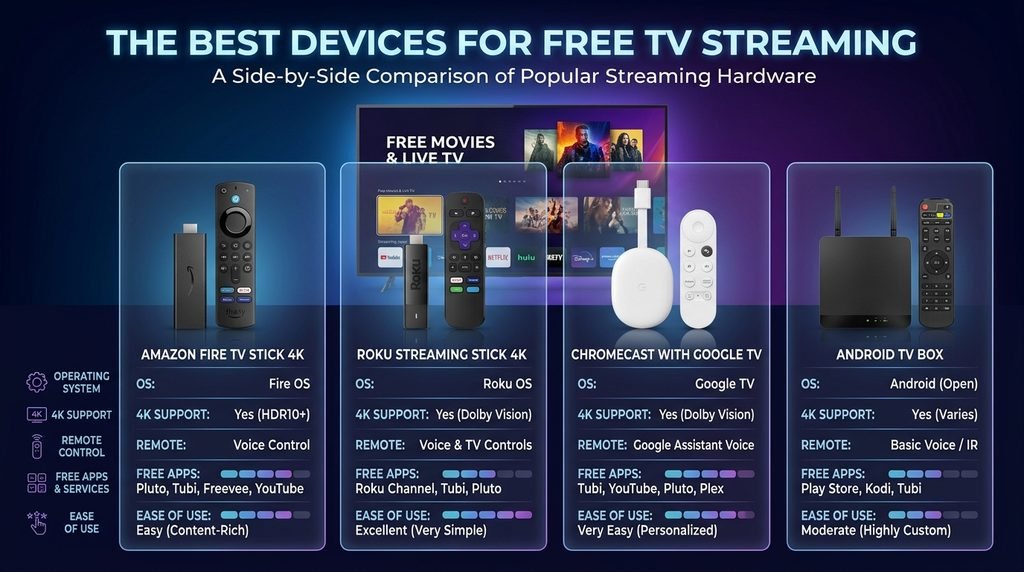
Selecting the right hardware platform impacts your access to free content applications, interface responsiveness, and third-party IPTV application support. The comparative matrix below outlines the leading hardware platforms available today.
Device Compatibility & Capabilities Matrix
| Device Platform | Operating System | Sideloading Support | Native FAST Apps Included | IPTV App Compatibility | Recommended For |
| Amazon Fire TV Stick 4K | Fire OS (Android-based) | High (via APK installer) | Pluto TV, Freevee, Tubi, Xumo | High (TiviMate, Smarters Pro, Downloader) | Budget users needing maximum app flexibility |
| Roku Express / Streaming Stick | Roku OS (Closed) | None | The Roku Channel, Pluto TV, Tubi | Low (Strictly store-approved apps only) | Users seeking a simple, plug-and-play interface |
| Chromecast with Google TV | Google TV / Android TV | High (via Developer Options) | Google TV Free Channels, Pluto, Tubi | Excellent (Native Google Play Store IPTV apps) | Power users wanting seamless UI integration |
| NVIDIA Shield TV Pro | Android TV | High (Full APK flexibility) | All Android TV FAST channels | Maximum (Advanced IPTV players & 4K upscaling) | High-end streaming, local media, and IPTV |
Amazon Fire TV Stick Series
The Amazon Fire TV Stick lineup remains one of the most versatile choices for users exploring free tv streaming devices due to its open Android foundation. Running on Fire OS, Fire TV devices allow users to download standard FAST applications directly from the Amazon Appstore while maintaining complete support for third-party application installations via the Downloader app.
Hardware specifications across the Fire TV lineup—from the Lite version to the Fire TV Stick 4K Max—provide dedicated hardware decoding for H.265/HEVC and AV1 codecs. This hardware decoding ensures smooth playback of high-definition and 4K live streams while minimizing buffering.
+-------------------------------------------------------------+
|                     Amazon Fire TV Stick                    |
+-------------------------------------------------------------+
       |                                       |
       v                                       v
[ Amazon Appstore ]                   [ Sideloading Capability ]
  - Pluto TV                            - Downloader App
  - Freevee                             - Third-Party Media Apps
  - Tubi                                - Xtreme HD IPTV Services
Users who combine Fire TV hardware with an Xtreme HD IPTV Firestick setup gain access to high-density channel lists and Electronic Program Guides (EPG). The device’s broad developer permissions make installing IPTV players and configuring M3U playlists straightforward.
Roku Streaming Players & Roku TV
Roku devices, including the Roku Express, Streaming Stick, and integrated Roku TVs, offer an accessible entry point into zero-cost digital entertainment. Operating on a proprietary closed operating system (Roku OS), these devices prioritize simplicity and speed.
The central feature of the platform is The Roku Channel, a built-in streaming service that aggregates hundreds of live linear channels and thousands of on-demand movies without requiring account registration. Additionally, users can install major third-party free channels such as Peacock (Free Tier), Crackle, and NewsON directly from the Roku Channel Store.
However, Roku OS does not support sideloading or third-party APK installations. If your streaming requirements include custom media players or external IPTV service integrations, Roku’s closed ecosystem presents strict operational limitations compared to Android-based devices.
Google Chromecast with Google TV & Android TV Box Options
Google Chromecast with Google TV and certified Android TV devices (such as the Chromecast 4K or Onn. Google TV Pro) represent powerful hardware platforms for free content aggregation. The Google TV interface features a dedicated “Live” tab that merges over 800 free live channels from Pluto TV, Plex, Haystack News, and Google TV Free Channels into a single interactive program guide.
For users seeking advanced media customization, Android TV devices provide unrestricted access to the Google Play Store alongside manual APK installation features. This makes Android TV hardware the gold standard for running custom IPTV applications, media servers, and advanced video engines.
Power users configuring custom playlists frequently rely on Android TV hardware paired with reliable providers like Xtreme HD IPTV to stream high-frame-rate sports, international news broadcasts, and pay-per-view events without hardware bottlenecks.
How to Setup and Optimize Devices for Free and Live TV
Properly configuring your streaming hardware ensures consistent video playback quality, eliminates interface lag, and prevents network buffering during live broadcasts.
[ Router / Network ]
        |
        +---> [ 5GHz Wi-Fi / Ethernet Adapter ]
                    |
                    v
[ Free TV Streaming Device ] ---> [ Storage & Cache Cleanup ]
                    |
                    v
[ Stream Optimization / IPTV Apps ]
Optimizing Network Speed and Storage
Streaming live television in 1080p or 4K resolution requires stable network bandwidth and adequate hardware cache space. Follow these steps to prepare your streaming device for optimal performance:
- Connect to the 5 GHz Wi-Fi Frequency: Dual-band Wi-Fi routers broadcast at 2.4 GHz and 5 GHz. Connect your streaming stick to the 5 GHz band to minimize wireless interference from household electronics and maximize local download speeds.
- Use an Ethernet Adapter: For high-bitrate live video streams, physical network cables offer lower latency than wireless connections. Use an official micro-USB/USB-C Ethernet adapter for Fire TV or Chromecast devices.
- Clear Application Caches Regularly: Free streaming applications cache ad data continuously. Navigate to your device settings menu (
Settings > Applications > Manage Installed Applications), select your primary streaming apps, and clear their cached data monthly. - Expand Device Storage: If your streaming device contains less than 8 GB of internal storage, use an OTG cable and an external USB drive formatted to FAT32 to offload app installations and buffer data.
For further details on streaming network requirements, consult official performance guidelines provided on the Amazon Fire TV Support Hub or check software compatibility standards on Google TV Developer Documentation.
Integrating Premium IPTV Services on Compatible Devices
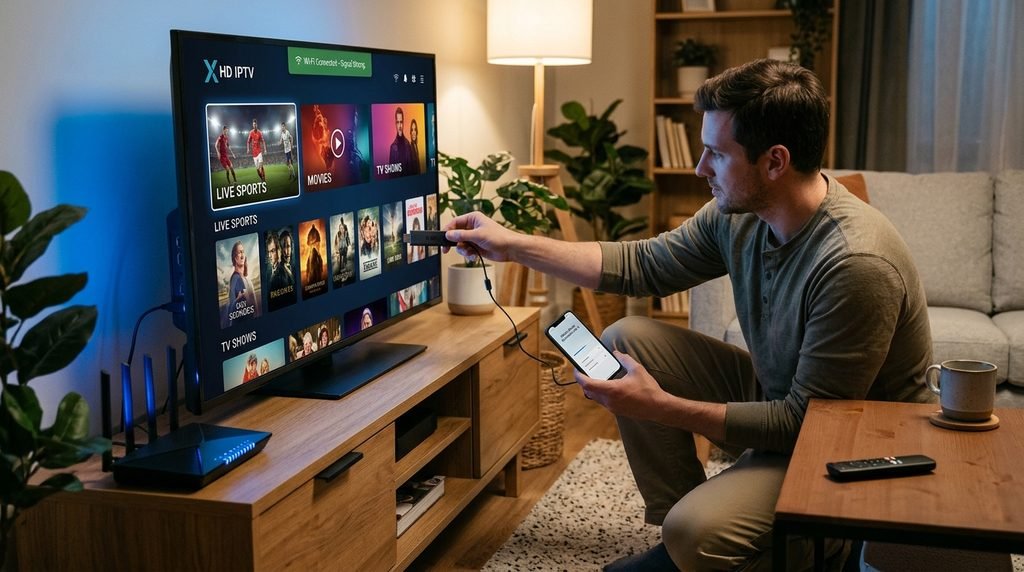
While free streaming apps provide basic access to news and catalog movies, users desiring full live cable replacement often combine open hardware with dedicated service plans. Open platforms like Android TV and Fire OS allow seamless integration of external playlists.
To install custom live TV services on an open streaming device:
- Enable app installation from unknown sources within your device’s security settings menu.
- Install a trusted media player app such as TiviMate, IPTV Smarters Pro, or XCIPTV from the app store or via direct file download.
- Enter your active service credentials or M3U URL provided by your service operator.
- Configure Electronic Program Guide (EPG) update intervals to ensure channel schedules remain synchronized.
Pairing high-performance hardware with reliable streaming infrastructure like Xtreme HD IPTV delivers stable access to global channel packages, anti-freeze technology features, and multi-device support without requiring restrictive long-term cable hardware leases.
Frequently Asked Questions
Are free TV streaming devices legal to use?
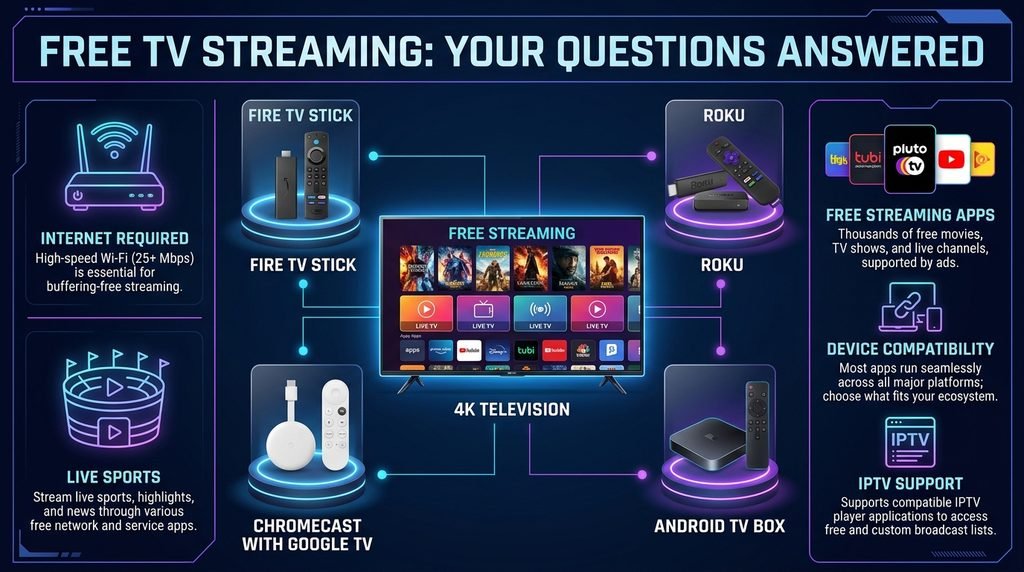
Yes. Purchasing and using streaming devices like Amazon Fire TV, Roku, or Chromecast is completely legal. Legitimate free apps available on these platforms (such as Tubi and Pluto TV) hold official distribution licenses funded through advertising revenue.
Can you watch live sports on free streaming devices?
Yes. Free applications like Pluto TV, Tubi, and CBS Sports HQ stream select live sports events, highlights, and sports news. However, major live professional league broadcasts usually require dedicated sports packages or subscription IPTV services.
What is the difference between Fire TV and Roku for free streaming?
Roku offers a simple, closed interface with built-in free content channels but prohibits custom software installations. Fire TV uses an open Android-based operating system that supports both official app stores and third-party application sideloading.
Do free TV streaming devices require an internet connection?
Yes. Streaming devices require an active broadband internet connection via Wi-Fi or Ethernet to transmit digital video data. For HD streams, a minimum network speed of 15 Mbps is recommended.
Can I install Xtreme HD IPTV on any streaming device?
Xtreme HD IPTV is compatible with open operating systems including Amazon Fire OS, Android TV, Google TV, Windows, and iOS. Proprietary closed platforms like Roku OS do not support direct IPTV app installation.
Next Steps
To build a high-performance cord-cutting setup, select an open streaming hardware platform such as an Amazon Fire TV Stick 4K or Chromecast with Google TV. Once your hardware is connected, explore subscription-free live options on Pluto TV and Tubi, or power your complete channel lineup by integrating your hardware with an Xtreme HD IPTV subscription package.
