


IPTV Subscription for TiviMate: 9 Smart Tips for 2026
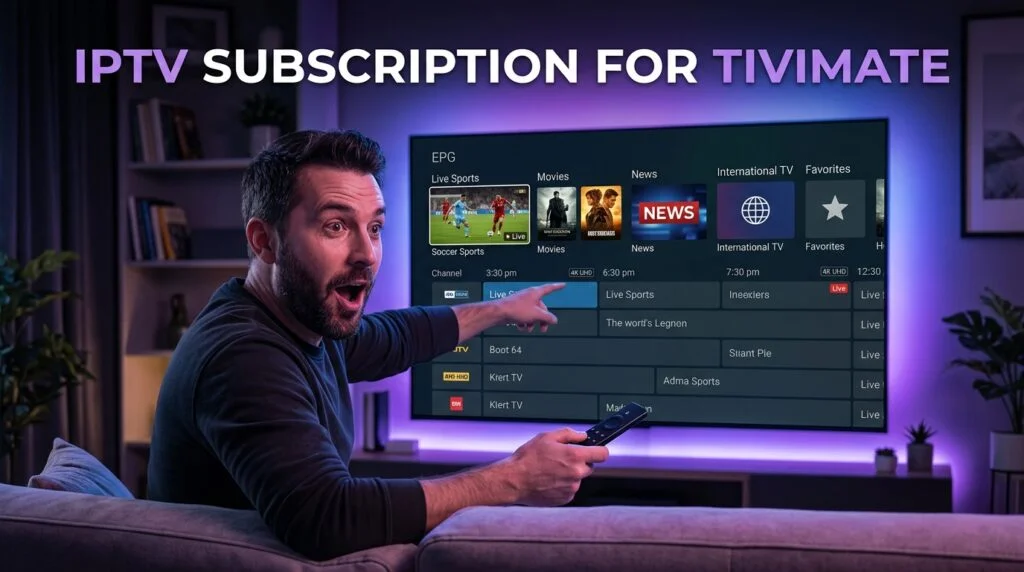
Table of Contents
Choosing an IPTV subscription for TiviMate starts with understanding that TiviMate is the player, not the television service itself. The app can organize channels, display an electronic program guide, save favorites, and provide a television-style interface, but it does not automatically include live channels just because it is installed. You still need a compatible provider account with the login details, playlist information, and stream access required for the app to load content.
The easiest way to choose an IPTV subscription for TiviMate is to think of the setup as a stack. TiviMate sits at the interface layer, your provider supplies the channels and account access, the streaming device runs the app, and your internet connection carries the streams. A problem in one layer can make the whole setup feel unreliable even when the others are working normally. This guide uses that structure so you can evaluate compatibility first, test the service properly, and only then decide whether a short or long subscription makes sense.
Quick Answer: What IPTV Subscription Works With TiviMate?
An IPTV subscription for TiviMate should provide a login format the player supports, such as Xtream-style credentials or an M3U playlist, depending on the provider. It should also offer the channels you actually watch, usable EPG data, stable streams, enough simultaneous connections for your household, and a price that makes sense after testing. If you are considering Xtreme HD IPTV, review the current IPTV channel list, prepare your device with the installation guide, use the IPTV free trial, and compare the available subscription plans after the service works correctly on your setup
The TiviMate Compatibility Stack
An IPTV subscription for TiviMate works best when four parts line up correctly: the subscription, the player, the device, and the network. The provider must supply credentials or playlist information that the player can understand. TiviMate needs to run properly on your streaming hardware. The device needs enough processing power and storage to handle a large playlist. Your internet connection needs enough stability to keep the streams playing without constant interruptions.
This stack explains why two users can have very different results with the same IPTV subscription for TiviMate. One may use a newer Android TV device over Ethernet and get smooth navigation, while another uses an older Firestick with limited free storage and weak Wi-Fi. The subscription may be identical, but the complete viewing system is not.
| Layer | What It Controls | Typical Problem |
|---|---|---|
| IPTV subscription | Channels, credentials, account access | Login failure or unavailable streams |
| TiviMate | Interface, favorites, EPG display, playback controls | Slow navigation or configuration issue |
| Streaming device | App performance and decoding | Crashes, lag, low storage |
| Home network | Stream delivery | Buffering, packet loss, Wi-Fi instability |
When you evaluate an the subscription, judge all four layers separately. That makes buying and troubleshooting far easier than treating the whole setup as one product.
TiviMate vs the IPTV Subscription
The most important distinction is simple: TiviMate does not provide the television subscription. An IPTV subscription for TiviMate supplies the actual stream access and account information, while TiviMate acts as the interface used to organize and play that content. Buying TiviMate or TiviMate Premium does not automatically create a channel package.
The reverse is also true. Purchasing an IPTV subscription for TiviMate does not necessarily include premium player features. You can have a valid account and still need to install, configure, or upgrade the player separately. This separation matters because it affects where you troubleshoot. If the app launches but credentials are rejected, the account details deserve attention. If the account loads but the menus feel slow, the app or device may be the problem instead.

What You Actually Need
A complete setup usually requires a compatible streaming device, TiviMate or another supported player, an active IPTV subscription for TiviMate, the correct account details, and a stable internet connection. The provider may supply a username, password, server address, M3U playlist, or EPG information depending on the setup. Keep those credentials private because they are normally tied to your account and should not be copied from forums or shared publicly.
Choose a Login Format TiviMate Can Use
Compatibility should be confirmed before payment. An IPTV subscription for TiviMate is useful only when the provider can give you account information that the player understands. Two common approaches are Xtream-style credentials and M3U playlists. The exact setup can vary, but you should receive clear instructions explaining which format applies to your account.
If a seller sends a collection of links and passwords without explaining how they fit together, ask before committing to a long plan. A good IPTV subscription for TiviMate should not require guessing which URL belongs in which field. Clear account delivery is part of the product experience, especially for new users.
| Login Method | Usually Requires | Why Users Choose It |
|---|---|---|
| Xtream-style login | Username, password, server URL | Simple account-based setup |
| M3U playlist | Playlist URL | Broad player compatibility |
| EPG URL | Guide-data source | Program listings and schedules |
| Portal-style access | Provider-specific details | Used in certain setups |
Judge the Subscription by Channel Fit
Channel count can be a distraction. A provider may advertise thousands of streams, but a good IPTV subscription for TiviMate is the one that contains the channels you actually use. Sports viewers, families, movie fans, and international households all have different priorities, so the useful part of the library will vary from person to person.
Review the available channel list and create a must-have list before testing. Mark the channels you would not subscribe without, the channels you watch regularly, and the channels that are merely bonuses. That gives your IPTV subscription for TiviMate evaluation a clear standard instead of letting you browse randomly through hundreds of categories.
| Priority | Meaning | How to Test |
|---|---|---|
| Must-have | You would cancel without it | Test every channel |
| Regular | Watched often | Test a representative group |
| Bonus | Nice but not essential | Explore after essentials pass |
This matters especially for sports and international viewing. If your IPTV subscription for TiviMate looks impressive overall but misses the exact networks your household needs, the size of the remaining library does not fix that problem.
Use the Trial as a Compatibility Test
A free trial can tell you more than a large number of online reviews because an IPTV subscription for TiviMate depends heavily on your own device, player settings, network, and viewing habits. If a trial is available, install TiviMate first and make sure the device is ready before activating it. Starting a short trial when you do not have time to test wastes the best opportunity to reduce uncertainty.
Use the Xtreme HD IPTV free trial or another legitimate provider trial when you can spend enough time with the service. Test your essential channels, let several streams play for more than a few minutes, and check the service during the same evening hours you normally watch television. A short daytime test is not enough to prove that an IPTV subscription for TiviMate will remain reliable in your real routine.
What to Test During the Trial
- Playlist login and initial loading.
- Your most important live channels.
- EPG loading and schedule accuracy.
- Favorites and category organization.
- Sports during real viewing periods.
- Movies or longer programs.
- HD and available 4K playback.
- Audio synchronization and startup speed.
- App restart and reconnection.
- Evening performance on your normal network.
The goal is not to prove that every channel works for thirty seconds. The goal is to determine whether the your provider account behaves well enough in the situations that matter to you.
EPG Quality Can Make or Break the Experience
TiviMate can make a large playlist feel much more like traditional television, but that depends heavily on the guide information supplied with the IPTV subscription for TiviMate. EPG stands for Electronic Program Guide. It can show what is currently playing, what comes next, and other schedule information that makes live television easier to browse.
Poor EPG data can make a large channel library frustrating because the user has no quick way to understand what is on. Blank entries, incorrect times, or mismatched programs can reduce the value of the player even when the channels themselves stream normally. A strong IPTV subscription for TiviMate should ideally provide organized groups and usable guide data for the channels you watch most.
EPG and Playback Are Different Layers
A channel can play while its guide is blank. The reverse can also happen: the guide entry can appear even when the stream is temporarily unavailable. Do not reinstall the whole setup just because EPG data is missing. Allow the guide to refresh and verify that your IPTV subscription for TiviMate actually includes or supports the necessary program-guide information.
Test HD and 4K the Right Way
High-resolution labels look good in marketing, but they should not control the buying decision. An IPTV subscription for TiviMate should be judged by the complete viewing experience: resolution, bitrate, compression, motion, startup time, buffering, audio synchronization, and long-term stability. A clean Full HD stream can feel better than a 4K stream that freezes repeatedly.
Sports are useful for testing motion because camera pans, scoreboards, fast movement, and crowds can expose frame drops quickly. Movies can reveal compression problems in dark scenes and fine textures. Use the television you actually plan to watch, not only a phone screen. Your final IPTV subscription for TiviMate decision should reflect the real display and device used in the home.

What Affects Picture Quality?
The source stream, provider infrastructure, compression, TiviMate playback settings, streaming-device performance, Wi-Fi conditions, internet connection, and television processing can all influence the result. This is why an the service should be evaluated as part of a complete system rather than as a standalone stream source.
Match the Subscription to the Device
TiviMate is commonly used on television-focused Android-based hardware, including compatible Fire TV, Android TV, and Google TV devices. The exact installation process can vary, so follow instructions that match your device. The Xtreme HD IPTV installation guide can help with provider-side setup while the TiviMate app itself should come from a trusted source appropriate for your platform.
An IPTV subscription for TiviMate may load smoothly on a newer streaming box and feel much slower on old hardware. Low storage, limited memory, and weaker processors can affect menu speed, EPG loading, and playback. Do not automatically blame the subscription when the entire device feels sluggish.
Firestick Users Should Check Storage
Fire TV devices can accumulate unused applications and cached data over time. If TiviMate starts feeling slow, check free storage before deleting the IPTV subscription for TiviMate or rebuilding the account. Restarting the device and removing unnecessary apps can improve the environment without touching the provider setup.
Choose the Right Number of Connections
One connection may be enough for a solo viewer, but families can need more. Before buying an IPTV subscription for TiviMate, think about the busiest period in your home. If one person watches football in the living room while someone else watches a movie in another room, two simultaneous streams may be required.
Installing the same account on two devices does not automatically mean the IPTV subscription for TiviMate permits both to stream at the same time. The provider’s connection policy matters. A user who simply switches between a bedroom television and a living-room television may still need only one connection if the two are never active together.
| Viewing Pattern | Likely Need | Why |
|---|---|---|
| One person, one TV | 1 connection | One active stream |
| One person switching devices | Possibly 1 | Devices are not simultaneous |
| Two people watching separately | 2 connections | Two active streams |
| Family | Multiple | Several independent viewers |
| Sports multiview | May need more | Several live streams at once |
The right the IPTV account should match simultaneous use rather than the total number of devices you own.
A Clean TiviMate Setup Workflow
Once the provider is chosen, setup should be simple and controlled. Install TiviMate on a compatible device, obtain the subscription credentials, add the playlist or account, allow the channels and EPG to load, test the must-have channels, create favorites, and then use the service during normal viewing hours. The cleanest IPTV subscription for TiviMate setup avoids changing several things at once.
Large playlists can take time to populate initially, especially when guide data is downloading. Let the first synchronization finish before deciding the app is frozen. After the library appears, resist the temptation to browse every category. Use your must-have list first and then organize the channels you actually watch.
Recommended Order
Start with TiviMate itself, then enter the subscription details exactly as supplied. Wait for the playlist and guide to populate, test the essential channels, create a small favorites group, and leave several streams running long enough to judge stability. An IPTV subscription for TiviMate should earn a longer commitment only after it has passed those basic tests.
TiviMate Premium vs IPTV Subscription
TiviMate Premium and an IPTV subscription for TiviMate are separate purchases with different purposes. Premium player features improve or expand what the application can do, while the subscription provides the actual channel access. Paying for one does not automatically buy the other.
| Purchase | What It Provides |
|---|---|
| IPTV subscription | Channels and stream access |
| TiviMate player | Interface for watching IPTV |
| TiviMate Premium | Additional player functionality |
| Streaming device | Hardware that runs TiviMate |
| Internet service | Connection carrying the streams |
Someone can purchase premium player features and still have no channels because the application needs a separate IPTV subscription for TiviMate. Likewise, someone can have valid service credentials and still need to configure them correctly in the player before content appears.
Troubleshoot by Layer, Not by Guessing
When something goes wrong with an IPTV subscription for TiviMate, identify the exact symptom before making changes. Playlist login, channel playback, EPG data, buffering, and slow interface performance belong to different layers. Treating them as one problem leads to unnecessary reinstalls and configuration changes.
| Problem | Likely Layer | First Step |
|---|---|---|
| Playlist will not load | Credentials or account | Verify username, password, server, and subscription status |
| One channel will not play | Individual stream | Test several other channels |
| Many channels buffer | Network, device, or service | Test another streaming app and network path |
| EPG is blank | Guide data | Refresh or allow guide data to update |
| TiviMate feels slow | Device or app | Restart and check storage |
| Everything works on another device | Original hardware | Inspect the first device |
- Playlist Will Not Load : Check the username, password, and server address carefully. Remove accidental spaces and verify that the IPTV subscription for TiviMate or trial is still active. If the credentials are incorrect, reinstalling the player will not solve the authentication problem.
- Channels Appear but Do Not Play : Test multiple channels. If one fails and the rest work, the issue may be isolated to that stream. If most channels fail, restart TiviMate and compare another streaming app on the same device. A broader failure deserves broader investigation.
- IPTV Buffers Frequently : Compare several channels, test another streaming application, restart the device, and compare Ethernet with Wi-Fi when possible. A good IPTV subscription for TiviMate can still buffer when the home network is unstable, so network testing should happen before switching providers.
- EPG Is Missing : Allow guide data time to update and confirm that the provider actually supplies compatible EPG information. Playlist access and program-guide data are separate parts of an IPTV subscription for TiviMate, so one can work even when the other has a problem.
Common Mistakes When Buying IPTV for TiviMate
The first mistake is buying TiviMate and assuming channels are included. The second is choosing a provider entirely by channel count. A good IPTV subscription for TiviMate should prioritize useful content, stable streams, compatible credentials, EPG quality, and device fit instead of raw catalog size.
Another mistake is paying for twelve months before completing a real test. A low monthly equivalent is meaningless when the service performs poorly on your equipment. Users also create problems by sharing credentials publicly or installing modified applications from unknown websites. Protect the account details connected with your the provider and use trusted app sources.

Frequently Asked Questions About IPTV Subscription for TiviMate
Does TiviMate come with an IPTV subscription?
No. TiviMate is the player. You need a separate IPTV subscription for TiviMate before the app can load live channels and other provider content. The player and television service should be treated as separate products.
Can I use Xtreme HD IPTV with TiviMate?
Use the provider’s Xtreme HD IPTV installation guide and confirm that the account format is supported by your chosen player. Testing through the free trial is the simplest way to verify that the IPTV subscription for TiviMate works with your exact device before committing long term.
Should I buy one month or twelve months?
New users usually benefit from a shorter commitment while evaluating the service beyond the initial trial. A longer IPTV subscription for TiviMate can make more financial sense after the channels, EPG, device, and network have already proven reliable.
Can TiviMate play 4K IPTV?
The player can display high-resolution streams when the source, device, television, playback configuration, and network support them. An IPTV subscription for TiviMate should be judged by real picture quality and stability rather than assuming every stream labeled 4K will perform the same way.
Why does TiviMate buffer?
Buffering can come from the stream, provider, Wi-Fi, internet connection, device, or player configuration. Test multiple channels and another streaming app before assuming the the account is the only possible cause.
How many connections do I need?
Count simultaneous viewers rather than installed devices. One person may need one connection, while two people watching different channels at the same time may need two. The correct IPTV subscription for TiviMate should support your busiest normal viewing period without forcing you to pay for connections you never use.
Final Verdict: Choosing an IPTV Subscription for TiviMate in 2026
A strong IPTV subscription for TiviMate should provide more than an impressive channel count. It should give you compatible login details, the channels you actually use, organized categories, usable EPG information, stable playback, enough simultaneous connections, and pricing that reflects how confident you are in the service. The player, provider, device, and network all contribute to the final result.
The best process is simple. Review the channel list, prepare the device through the installation guide, request the free trial, and add the account details to TiviMate. Test essential channels, sports, EPG, favorites, picture quality, evening performance, and network stability before returning to the pricing page.
Once the player loads cleanly, the important channels remain stable, the guide is useful, and the service works under normal household conditions, you have a much stronger reason to choose that IPTV subscription for TiviMate. That evidence matters far more than a giant channel number or an annual discount shown before you have tested anything.