


Is Xtreme HD IPTV Down? Current Status & Fixes for 2026
Are you wondering whether Xtreme HD IPTV is down, or have your channels suddenly stopped loading? Before reinstalling your IPTV application or changing your settings, check for reported outages and determine whether the problem comes from your internet connection, device, account, or streaming server.
Quick Answer
As of November 4, 2026, public outage monitoring does not indicate a major active Xtreme HD IPTV outage. However, this does not confirm that every Xtreme HD IPTV provider, subscription, login portal, or streaming server is operating normally. Test your connection and the exact service domain you use before assuming there is a widespread outage.
Editorial Methodology
- Prepared by: Xtreme HD IPTV Editorial Team.
- Research basis: Public outage-monitoring information, official Amazon Fire TV and Google TV troubleshooting documentation, and inspection of publicly accessible Xtreme HD IPTV website pages.
- Evaluation criteria: Reported service disruptions, domain identity, network connectivity, application behavior, account authentication, and playlist availability.
- Testing disclosure: No private subscriber account, authentication portal, or live IPTV stream was independently tested.
- Last updated: November 4, 2026.
Table of Contents
Is Xtreme HD IPTV down right now?

As of November 4, 2026, the available public outage indicator does not show a major active disruption. The status information is useful for identifying reported problems, but it cannot guarantee that your specific IPTV subscription or streaming server is available.
What do the current outage reports show?
The Entireweb Xtreme HD IPTV status page currently reports:
| Monitoring indicator | November 4, 2026 |
|---|---|
| Major ongoing outage | Not reported |
| User reports in the last 24 hours | 2 |
| User reports in the last hour | 0 |
| Reports in the last 20 minutes | 0 |
| Reports in the last 30 days | 33 |
Entireweb
These figures suggest that there is no obvious widespread increase in reported problems. Nevertheless, user-reported outage monitoring has limitations.
For example, a relatively small number of complaints does not guarantee that every subscriber can access their channels. A particular login portal, account authentication system, regional server, or content source could experience problems without generating enough reports to appear as a general outage.
There is another important limitation: the Entireweb page links to xtremehdiptv.io as its associated website. It does not establish the availability of the separate publishing domain xtrmehdiptv.us. Entireweb
Why does the Xtreme HD IPTV domain matter?
The Xtreme HD IPTV name appears on multiple websites. Some domains publish different claims about which website is official or whether an older domain has been replaced.
For example, xtremehdiptvs.io describes itself as the replacement for xtremehdiptv.io, while xtremehdiptv.site makes its own exclusive official-domain claim. Neither claim independently establishes a relationship with every other website using the same brand name. IPTV Service 2026+1
A separate October 2026 review also discusses the reported closure of the older .org service and the emergence of multiple sites using the same name. TECHVIEW TV
This distinction matters when diagnosing an outage.
A website being accessible does not automatically mean its IPTV streams are working. Similarly, a problem affecting one domain should not be interpreted as proof that every Xtreme HD IPTV-branded service is down.
Always check the exact website, login portal, and account information associated with your subscription.
How do you tell whether Xtreme HD IPTV or your setup is causing the problem?
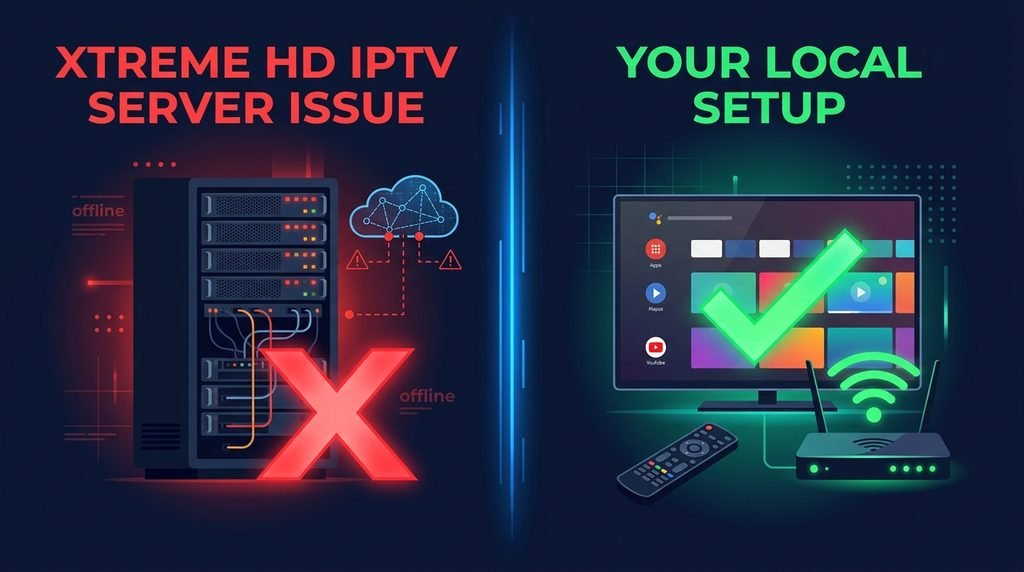
The easiest way to identify the source of an IPTV problem is to compare the behavior of different applications, devices, and internet connections. If other applications also fail, investigate your internet connection first. If only one IPTV application fails, focus on its settings and account configuration.
Check other streaming applications and devices
Start with a simple connection test.
Open another streaming application on the same device. Try playing a video or loading another online service.
Consider these situations:
- Other applications also fail: Your internet connection, router, or internet provider may be responsible.
- Other applications work normally: Your internet connection is probably available, so investigate the IPTV application or service.
- The IPTV service works on another device: The problem may involve the original device, application installation, or network configuration.
- The IPTV service fails across different devices and networks: An account, portal, authentication, or server-side problem becomes more plausible.
You can also use a mobile hotspot as a temporary comparison. Avoid consuming substantial mobile data during this test.
Xtreme HD IPTV outage vs. local problem: troubleshooting matrix
Use this decision aid to identify the most likely source before changing your configuration.
| What you experience | Possible explanation | Recommended action |
|---|---|---|
| Every application fails | Internet or router problem | Test your connection and restart the router |
| Only IPTV applications fail | Player or service issue | Check the player and subscription details |
| One channel is unavailable | Individual channel source issue | Test other channels |
| Invalid login message | Incorrect credentials or authentication issue | Verify your portal and account |
| Channels play but the TV guide is empty | EPG or guide-data issue | Refresh the EPG |
| The service works on another network | Local network or routing issue | Investigate the original connection |
This matrix is a documentation-based diagnostic aid, not a report of hands-on server testing. It helps narrow down the problem without assuming that every playback error represents a complete service outage.
A useful distinction is that a missing EPG does not necessarily mean the streaming server is offline. The electronic program guide and video playback can experience separate problems.
What should you do when Xtreme HD IPTV is not working?
Follow the troubleshooting steps in order. Start with simple network and application checks rather than deleting your configuration or purchasing another subscription.
1. Restart your internet connection and streaming device
Temporary network problems can interrupt IPTV playback even when the service itself is available.
Start with these actions:
- Close the IPTV application.
- Restart your Firestick, Android TV, or other streaming device.
- Restart your router if other connection problems are occurring.
- Wait until your internet connection is restored.
- Open the IPTV player and test another channel.
Amazon provides a Fire TV Network Status guide that explains how to identify connectivity problems between a Fire TV device, router, and internet connection. Amazon DigPRJ Survey+1
For Google TV users, Google’s official troubleshooting guide recommends checking the network connection, restarting the router or device, and reviewing available system updates. Google TV Help
2. Verify your IPTV login information
An invalid login message does not automatically mean Xtreme HD IPTV is experiencing a general outage.
Check the following information against the original credentials supplied with your subscription:
- Username.
- Password.
- Server or portal URL.
- Subscription status.
- Any connection restrictions associated with your plan.
Pay attention to spelling, capitalization, missing characters, and accidental spaces.
Do not use credentials from an unrelated website simply because it uses the Xtreme HD IPTV name. Your login information must correspond to your actual provider.
Never publish your username, password, or private playlist URL in public comments.
3. Refresh the IPTV application and playlist
If your application opens but channels do not load correctly, check whether the player needs an update or playlist refresh.
Try these actions:
- Force-close the IPTV player.
- Reopen the application.
- Check whether an application update is available from its trusted installation source.
- Refresh the channel list or playlist.
- Refresh the EPG if the program guide is missing.
- Test another channel.
Avoid clearing all application data before confirming that you have your original login details. Doing so may remove saved account settings.
Firestick users can also consult the publisher’s IPTV Extreme installation and troubleshooting guide for additional device-specific instructions.
4. Determine whether the problem is account-specific or server-side
After checking your internet and application, compare the results across another supported device or network, provided your subscription permits the additional connection.
If the same login error or playback problem continues across multiple devices and different connections, the issue may involve the account, portal, authentication system, or provider infrastructure.
At that point, repeated application reinstalls are unlikely to provide a reliable diagnosis.
Record the error message and contact the service’s support team for account and server verification.
When should you contact support?
Contact support when the problem continues after basic troubleshooting, particularly when multiple channels fail, authentication repeatedly fails, or the same problem occurs on different devices and networks.
Before contacting support, prepare:
- Your device model and operating system.
- The IPTV player application you are using.
- The exact error message.
- The approximate time the problem began.
- Whether every channel or only specific channels are affected.
- Whether other applications and internet connections work normally.
- The troubleshooting actions you have already attempted.
For Xtreme HD IPTV customers using the publisher’s website, the Contact Us page provides the listed support channels, including support@xtrmehdiptv.us and its WhatsApp contact. Best Support & Assistance
Frequently asked questions
Is Xtreme HD IPTV down today?
On November 4, 2026, Entireweb reports no major active issue and two user reports in the previous 24 hours. That tracker does not confirm every provider, domain, login portal, or stream.
Does a working Xtreme HD IPTV website mean the streams are working?
No. A website returning a page only confirms that the web page can respond. It does not verify account authentication, playlist access, channel sources, or playback.
Why does Xtreme HD IPTV work on one device but not another?
That pattern points toward device settings, app data, software compatibility, or a local network difference. Check the player version and account details, and respect the simultaneous-connection limit on your plan.
What does an invalid login error mean?
It may indicate a mistyped username, password, or portal URL, an expired account, or an authentication problem on the provider side. Confirm the original details privately, then ask support to verify the account.
Should I reinstall the IPTV app if channels will not load?
Not as the first step. Restart the device, check the network, update the player, and refresh the playlist first. Reinstall only after confirming you still have the correct login details and a trusted installation source.
When should I contact Xtreme HD IPTV support?
Contact support when the issue continues across more than one device or network, or when you receive an account or server error. Include the device, player, error text, time, and checks already completed.
Next step
Check other streaming applications, test your IPTV player on another authorized connection, and record the exact error. Contact support when the problem persists across devices or networks.
