


Subscription for IPTV: Plans, Setup, and Xtreme HD IPTV Guide
Quick Answer: A subscription for IPTV delivers live television and video-on-demand content over Internet Protocol networks rather than traditional satellite or cable. Subscriptions range from single-device monthly passes to multi-connection annual packages. Selecting the right plan requires verifying device compatibility, streaming player support, network stability, and connection limits before purchasing.
Selecting a reliable subscription for IPTV requires understanding streaming protocols, device compatibility, and bandwidth requirements. Modern internet protocol television services deliver high-definition live channels and on-demand content directly to connected devices. Evaluating service tiers, connection allowances, and application compatibility ensures you select a plan tailored to your household entertainment needs.
Table of Contents
1. Understanding Your Subscription for IPTV Options
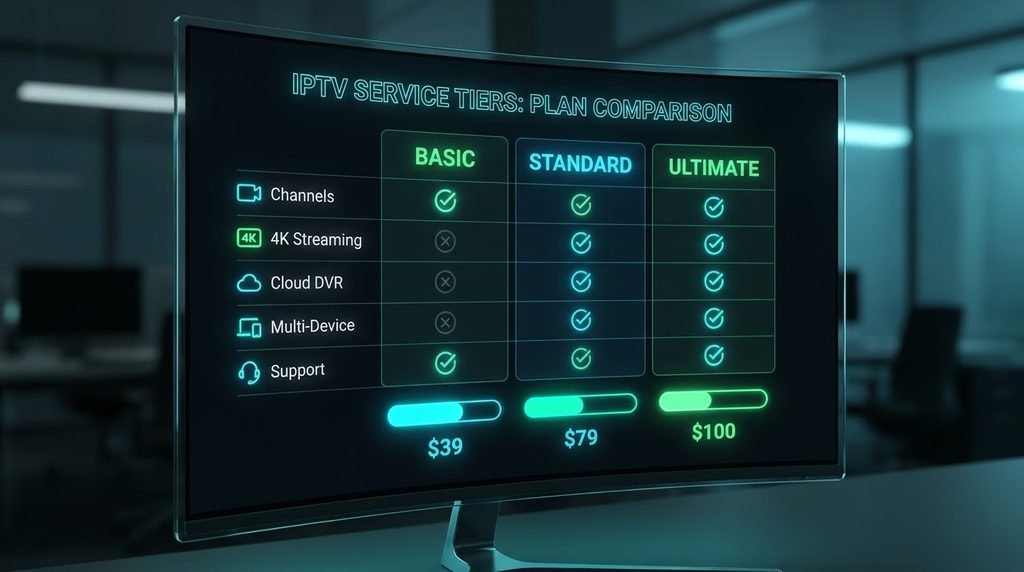
An internet protocol television package transmits television channels using standard TCP/IP network suites. Unlike traditional cable or satellite broadcasts that rely on radio frequency signals, an IPTV subscription streams data packets continuously to media players, streaming sticks, and Smart TVs.
Choosing the ideal subscription tier depends on how many devices require simultaneous access and the specific content delivery methods supported by your network.
1.1 Comparing Subscription Tiers and Connection Limits
Subscription plans vary primarily by duration and the number of allowed concurrent connections. Single-device passes suit individual users, while multi-connection plans allow different devices within a single household to stream unique content simultaneously.
| Subscription Plan | Concurrent Connections | Primary Compatibility | Typical Content Features |
| 1-Month Pass | 1 Device | Firestick, Android, iOS, Web | Full Channel Access, EPG, VOD |
| 3-Month Standard | 1 to 2 Devices | Smart TVs, MAG, Formuler, PC | Full Channel Access, EPG, VOD |
| 6-Month Family | Up to 3 Devices | Multi-room streaming setups | Full Channel Access, Anti-Freeze, EPG |
| 12-Month Premium | Up to 5 Devices | Entire household ecosystems | Full Channel Access, 4K/FHD, EPG |
Note: Connection counts refer to distinct streams active at the same time on a single network profile.
1.2 Key Features to Look For in a Service Plan
When evaluating an IPTV subscription, look beyond total channel claims. Prioritize infrastructure capabilities such as Electronic Program Guide (EPG) integration, catch-up TV archives, and server uptime standards.
Plans offered by Xtreme HD IPTV emphasize broad device compatibility and multi-protocol streaming credentials, allowing users to connect seamlessly via Xtream Codes API or M3U URL formats.
2. Setting Up Your IPTV Subscription Across Popular Devices

Activating a streaming service requires configuring an compatible IPTV player application using credentials issued upon plan registration. Most setups utilize either an M3U playlist link or Xtream Codes login credentials (username, password, and server URL).
2.1 Amazon Firestick and Android TV Setup
Amazon Fire TV and Android TV systems remain the most popular hardware choices for media streaming. Setting up service on these operating systems takes only a few minutes.
- Download a certified media player app such as IPTV Smarters Pro or TiviMate from the device app store or via sideloading tools like Downloader on Amazon Appstore.
- Launch the player application and select the option to add a new playlist or user profile.
- Select Xtream Codes API as the login method for faster loading and automated EPG updates.
- Enter the server URL, username, and password provided in your subscription email.
- Save the account profile and wait for the channel playlist and program guide to finish downloading.
2.2 Apple TV, iOS, and Smart TV Activation
Apple TV and iOS devices utilize dedicated media engines designed for efficient playback. Apps like GSE Smart IPTV or IPTVX are available directly from the Apple App Store.
For Samsung Tizen or LG webOS Smart TVs, users can download player applications like SmartOne IPTV or IBO Player directly from the TV’s native content store. Once installed, enter the TV’s device MAC address into the player app’s portal alongside your subscription M3U link to complete synchronization.
3. Technical Requirements and Network Optimization
Consistent video playback without buffering relies heavily on network performance, router placement, and device processing power.
[ Router / Internet ]
        │
        ├── Ethernet (Recommended for 4K/FHD) ──> [ Smart TV / Streaming Box ]
        │
        └── 5 GHz Wi-Fi (High Speed) ───────────> [ Firestick / Mobile Device ]
3.1 Minimum Bandwidth and Connection Stability
Standard-definition streams require modest speeds, but high-definition (HD) and 4K Ultra HD streams demand consistent throughput.
- Standard Definition (SD): Minimum 5 Mbps downstream.
- High Definition (1080p): Minimum 15 to 25 Mbps downstream.
- 4K Ultra HD: Minimum 30 to 50 Mbps downstream per active stream.
Using a wired Ethernet connection directly to your TV or streaming media player reduces packet loss and latency spikes compared to wireless connections. If using Wi-Fi, connect to the 5 GHz band rather than the 2.4 GHz band to avoid frequency interference from household appliances. Network management details can be verified directly via Microsoft Windows Support networking documentation.
3.2 Selecting the Right IPTV Player Application
The choice of player application directly impacts playback performance, navigation efficiency, and guide presentation.
- TiviMate IPTV Player: Highly regarded for Android TV and Firestick users due to its customizable EPG layout and channel grouping options.
- IPTV Smarters Pro: Cross-platform availability across Android, iOS, Smart TVs, and Windows PC.
- GSE Smart IPTV: Offers extensive parsing support for diverse stream formats and external EPG sources.
Integrating a robust subscription for IPTV with a well-optimized player application ensures smooth switching between live channels and on-demand catalogs across all your home devices.
4. Frequently Asked Questions About IPTV Subscriptions
What is an IPTV subscription?
An IPTV subscription is a service that delivers live TV channels and on-demand video over an internet connection using internet protocol suites rather than traditional satellite or cable infrastructure.
How do I activate my IPTV subscription after purchase?
You activate your service by entering the login credentials (M3U playlist URL or Xtream Codes API details) sent to your email into a compatible player app on your streaming device.
Can I use one subscription on multiple devices?
Yes, but simultaneous streaming depends on your plan’s connection limit. Multi-room or family plans permit multiple devices to stream concurrently on the same network profile.
What internet speed is required for streaming live IPTV?
HD streams require a minimum download speed of 15–25 Mbps, while 4K streaming requires at least 30–50 Mbps per active device for uninterrupted playback.
Which devices support IPTV subscription playlists?
Supported devices include Amazon Firestick, Android TV boxes, Smart TVs (Samsung/LG), Apple TV, iOS/Android mobile devices, MAG boxes, and Windows/Mac computers.
Do I need a separate receiver or set-top box?
No dedicated set-top box is required if you already own a smart streaming device, such as an Amazon Firestick, Apple TV, or Android TV.
Recommended Next Steps
To begin streaming, select a connection plan that matches your household device count on the Xtreme HD IPTV Official Site, download a compatible player app like IPTV Smarters or TiviMate, and input your login credentials to access live channels.
Editorial Trust and Methodology Block
- Editorial Review: Published by the Xtreme HD IPTV Editorial Team.
- Methodology: Technical specifications, streaming protocols, network requirement benchmarks, and application setup procedures in this guide are derived from standard network documentation, official player software specifications, and documented streaming protocol standards.
