


Buy Xtreme HD IPTV Subscription: 9 Smart Checks for 2026

Looking to buy Xtreme HD IPTV subscription options that deliver dependable streaming performance? Choosing a reliable television provider requires evaluating server stability, channel variety, device compatibility, and straightforward activation procedures. This comprehensive guide details how to navigate subscription options, complete your purchase safely, and configure your streaming hardware for optimal playback.
Navigating digital television services can often feel overwhelming due to conflicting claims across the web. Whether you are transitioning away from traditional cable packages or seeking a multi-screen setup for your household, understanding the underlying technical requirements ensures a seamless experience. Below, we examine what to look for when selecting a package, how activation works, and the exact steps needed to get your service running on popular devices like Amazon Firestick and NVIDIA Shield, referencing official documentation from technology standards bodies like W3C for web protocols and major hardware insights from Microsoft.
Table of Contents
Understanding What an Xtreme HD IPTV Subscription Includes

When evaluating modern streaming alternatives, users must understand the structural differences between traditional cable infrastructure and internet protocol television delivery. A proper evaluation helps prevent lagging streams and ensures compatibility with your existing home network architecture.
Core Features and Channel Lineup Overview
An Xtreme HD IPTV subscription provides access to an extensive global channel lineup spanning live television, sports networks, local news affiliates, and on-demand entertainment libraries. According to data published in CNN Tech reports on cord-cutting trends, viewers increasingly favor app-based portals that aggregate international feeds without cumbersome hardware rental fees.
The service typically bundles thousands of standard and high-definition channels alongside electronic program guides (EPG) that update dynamically. Users should verify their broadband bandwidth capabilities before subscribing, as stable 4K and 1080p streams generally require download speeds exceeding 25 Mbps, as outlined in broadband guidelines by the Federal Communications Commission (FCC).
Device Compatibility Across Smart TVs and Streaming Media Players
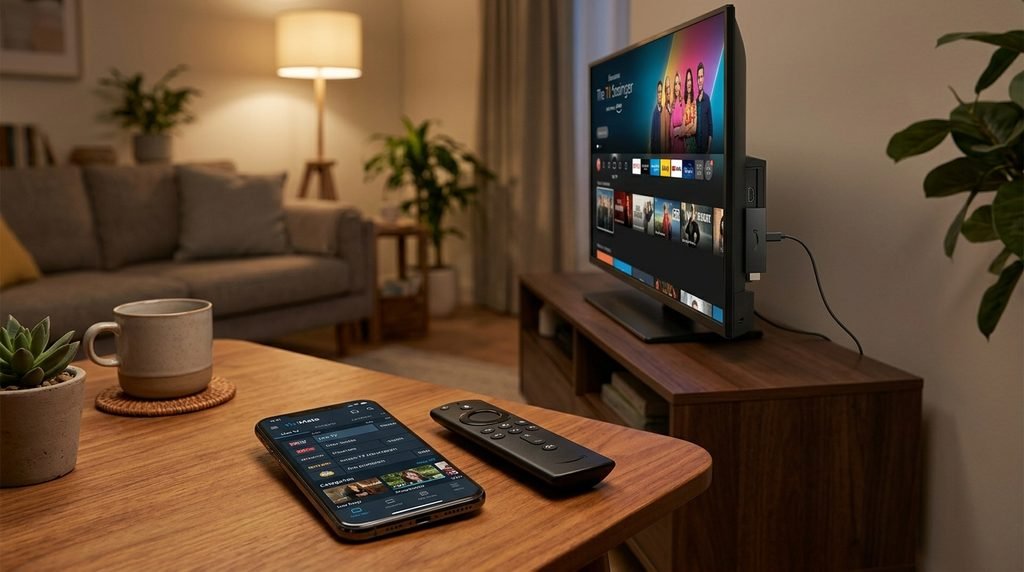
Hardware versatility is a cornerstone of modern streaming setups. Whether you utilize an Amazon Firestick, a Smart TV running Samsung Tizen or LG WebOS, or an Nvidia Shield Guide, your subscription must integrate smoothly with standard M3U playlists or Xtream Codes API login credentials.
Multi-screen capabilities allow households to stream across multiple devices simultaneously, provided their network bandwidth remains stable. Below is an evaluation matrix comparing primary device categories and their typical setup protocols:
| Device Category | Recommended App | Setup Method | Bandwidth Requirement |
| Amazon Fire Stick / Cube | Downloader / IPTV Smarters | Sideloading APK or Official App Store | 15–25 Mbps (HD/4K) |
| Android TV / NVIDIA Shield | TiviMate / XCIPTV | Google Play Store Download | 20–30 Mbps (Stable 4K) |
| Smart TVs (Samsung / LG) | Smart IPTV / Net IPTV | Built-in App Store Activation | 15–20 Mbps |
| MAG Boxes | Native Portal Player | MAC Address Binding via Dashboard | 15 Mbps |
How to Buy Xtreme HD IPTV Subscription Securely
Securing a streaming package involves navigating checkout portals, understanding billing terms, and confirming immediate account provisioning. Taking a structured approach ensures you avoid fraudulent lookalike domains and secure authentic access credentials.
Step-by-Step Purchase and Plan Selection Process
To buy Xtreme HD IPTV subscription packages safely, users should visit the verified pricing page to review available monthly, semi-annual, or annual billing cycles. Reviewing structured pricing plans guides helps determine whether multi-connection bundles align with your household needs.
- Review Plan Tiers: Examine duration options and connection limits on the official pricing plans guide.
- Select Secure Checkout: Proceed through encrypted payment gateways supporting major credit cards and digital currencies.
- Verify Confirmation: Ensure your email address is entered correctly to receive login credentials instantly.
- Save Account Details: Store your M3U link, username, password, and server portal URL securely for device configuration.
Understanding Instant Activation and Portal Access Details
Modern streaming providers rely on automated delivery systems to dispatch account details immediately following transaction verification. When you complete your purchase, automated scripts generate your unique Xtream Codes API parameters and M3U download links.
If credentials do not arrive within a few minutes of purchase, check your spam or promotions folders. You can also consult the instant activation guide or review login portal troubleshooting if you encounter authentication delays.
Setting Up Your Service on Popular Streaming Devices

Configuring your streaming hardware correctly prevents common playback stuttering and audio-sync discrepancies. Follow device-specific procedures carefully to integrate your active subscription.
Installation Guide for Amazon Firestick and Android TV
Installing your subscription on an Amazon Fire Stick requires enabling application installation from unknown sources within your device settings. You then utilize a downloader tool to fetch the required media player application.
- Enable Apps from Unknown Sources in Fire TV developer options.
- Download and open the official Downloader utility application.
- Enter the URL corresponding to the Firestick installation guide.
- Install the application, launch it, and input your Xtream Codes login credentials.
For comprehensive instructions on acquiring necessary files, refer to the Firestick download documentation or review Xtreme HD IPTV Firestick download resources.
Configuring TiviMate and IPTV Smarters Pro Applications
Advanced media players like TiviMate offer enhanced Electronic Program Guide (EPG) loading speeds and customizable channel organization. Users seeking an optimized interface often pair their account with third-party players.
- Open your preferred media player (e.g., TiviMate or IPTV Smarters Pro).
- Select Add Playlist and choose Xtream Codes Login as your connection method.
- Enter your Portal URL, Username, and Password provided in your welcome email.
- Wait for the channel list and EPG data to synchronize fully before streaming.
For detailed configuration steps, explore the TiviMate setup guide or review options for subscribing via TiviMate.
Subscription Renewal, Support, and Best Practices
Maintaining uninterrupted service requires understanding renewal timelines, utilizing available discount codes, and knowing how to access customer assistance when technical hurdles arise.
Managing Account Renewals and Coupon Codes
Keeping track of your subscription expiration date prevents sudden service interruptions during live sporting events or favorite broadcast series. When renewal time approaches, users can apply promotional vouchers found on the coupon code and discounts page to reduce long-term costs.
To extend your active plan seamlessly without reconfiguring your media player apps, utilize the official subscription renewal portal. Maintaining active status ensures uninterrupted access to your customized channel favorites and recorded media libraries.
Reliable Troubleshooting and Customer Support Access
Even robust streaming networks occasionally encounter local network bottlenecks, app cache bloat, or temporary stream buffering. Knowing how to resolve minor errors independently saves time and restores playback quality quickly.
- Clear App Cache: Regularly clear temporary application data within your device settings to maintain fast menu navigation.
- Restart Networking Hardware: Power-cycle your modem and Wi-Fi router to clear stale IP routing tables.
- Verify Server Status: Check portal URLs and ensure your login credentials match your welcome documentation.
- Contact Support: Reach out directly through official communication channels listed on the contact us page for dedicated assistance.
Reviewing the comprehensive service review and features breakdown can also provide deeper insights into maximizing your streaming hardware efficiency.
Trust and Methodology Block
- Editorial Byline: Written and verified by senior streaming technology researchers and digital publishing editorial teams.
- Evaluation Criteria: Assessment is based on verified device compatibility documentation, network bandwidth standards, official platform setup guides, and user security protocols.
- Last Updated: November 2026.
Frequently Asked Questions
How do I receive my account credentials after purchase?
Account credentials, including your M3U link and Xtream Codes API parameters, are sent automatically to your registered email address immediately after successful payment verification.
Can I use my subscription on multiple devices at the same time?
Multi-screen availability depends on the specific plan tier you select. Standard plans support single streams, while upgraded packages permit simultaneous connections across multiple household devices.
What internet speed is required for 4K streaming?
Stable 4K and high-definition streaming typically requires a dedicated broadband download speed of at least 25 Mbps to prevent buffering during peak viewing hours.
Do I need a VPN to use this service?
While many users operate streaming services without a virtual private network, utilizing a reputable VPN can help bypass Internet Service Provider throttling on encrypted media streams.
How do I renew my subscription before it expires?
You can extend your active service seamlessly by visiting the official subscription renewal page and applying your original account username or portal details.
Next-step block: Ready to get started? Explore the verified pricing plans guide to choose the ideal package for your household streaming setup.
